Preview image. Unlock full-res
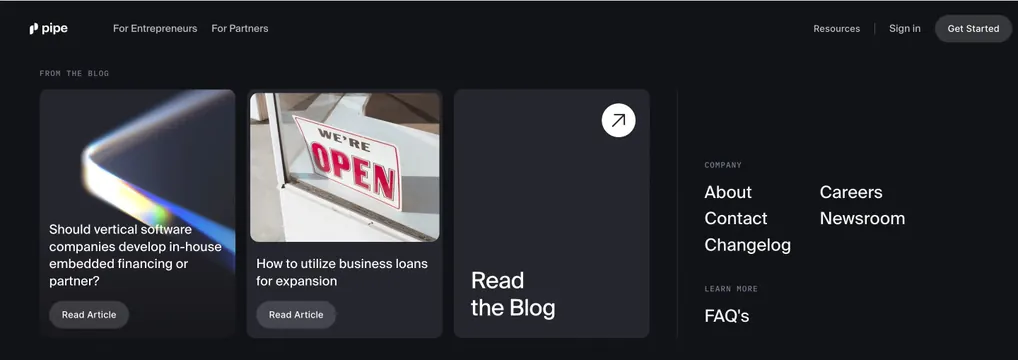
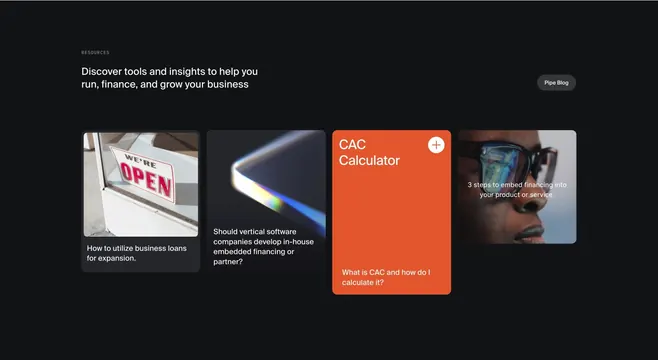
Dark navbar with an open Resources dropdown showing three blog cards and a right rail of company and FAQ links.
Summary
A dark navigation capture with the Resources menu expanded into a wide panel of three blog preview cards plus a vertical link column for company pages and FAQs.
Visual description
Black background with Pipe navbar: pipe wordmark, For Entrepreneurs and For Partners left, Resources active area, Sign in, and dark Get Started pill right. Below the nav, a full-width dark panel opens. Left area labeled FROM THE BLOG in gray caps with three large rounded cards: prismatic abstract image with article title about vertical software embedded financing and Read Article pill; storefront WE'RE OPEN photo with business loans title and Read Article; solid dark card with arrow icon and Read the Blog text. A vertical divider separates a right rail with COMPANY header and About, Contact, Changelog, Careers, Newsroom links, then LEARN MORE with FAQ's.
Key takeaway
Using the dropdown as a content surface (blog cards with thumbnails) instead of a plain link list keeps Resources feeling editorial and gives SEO pages visibility. A dedicated Read the Blog tile acts as escape hatch to the index. Separating company links in a narrow right rail keeps marketing content and corporate nav distinct.
Reuse notes
Strong for content-heavy B2B sites where the nav should promote recent articles. Needs three article thumbnails and titles that work at card size. Capture assumes hover or open state; implement with accessible keyboard behavior and mobile fallback to simplified lists.
More navbar sections
See all





More like this

Keep what you find
A free account saves references to boards and can send you a weekly email of picks based on what you save.
To see every result, go Pro.