Preview image. Unlock full-res
Light tabbed features section with a vertical feature list on the left and a lavender product illustration on the right.
Summary
Light tabbed features section with a vertical feature list on the left and a lavender product illustration on the right.
Visual description
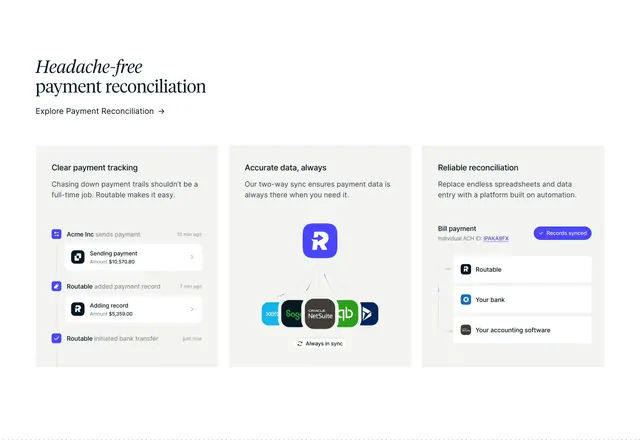
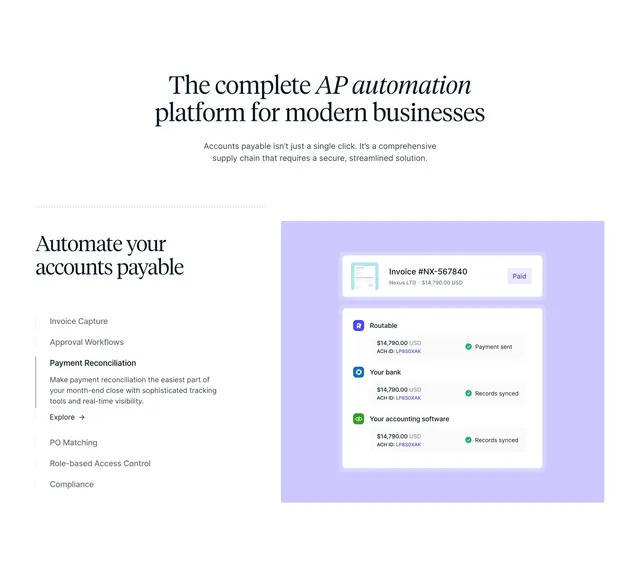
White page opens with a centered serif headline where the key phrase is italicized, plus a short gray sans-serif paragraph below. The lower half splits: left column titled Automate your accounts payable holds a vertical list of feature names connected by a thin gray line with a blue active segment beside Payment Reconciliation. Active item expands with gray description copy and a small Explore arrow link; inactive items sit muted. Right column is a large rounded lavender panel containing stacked white cards: a paid invoice summary chip on top, then a three-step sync diagram linking Routable, Your bank, and Your accounting software with QuickBooks branding, matching amounts, and green synced checkmarks.
Key takeaway
The vertical timeline-style tab list makes a long feature catalog scannable while one active row carries the story. Showing bank and accounting sync as a left-to-right card chain explains reconciliation visually instead of with bullet points. Soft lavender behind the UI cards separates product art from the white page without heavy borders.
Reuse notes
Ideal for complex B2B products with many modules where you need show-one-at-a-time storytelling. Pair with real integration logos the audience recognizes. Requires enough horizontal space for the split; on narrow viewports the illustration should stack below the list.