Preview image. Unlock full-res
Light payments section with serif headline, centered CSV upload UI mockup, and three feature columns below.
Summary
Light payments section with serif headline, centered CSV upload UI mockup, and three feature columns below.
Visual description
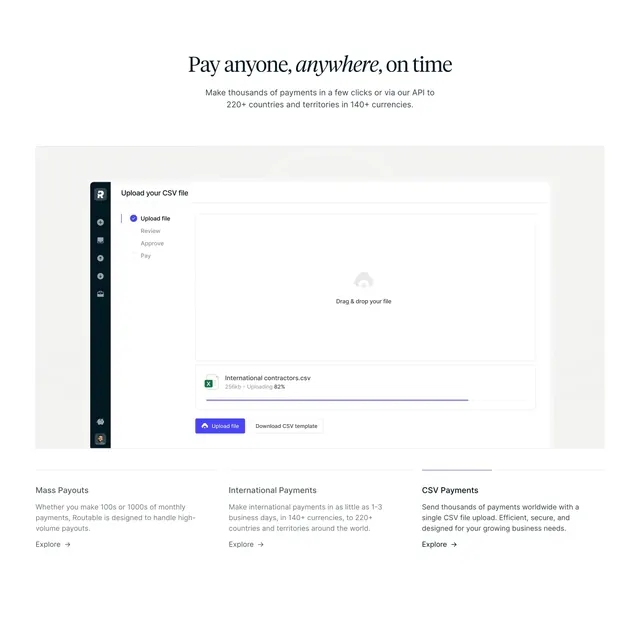
White background opens with a centered dark serif headline with one italicized word, then gray sans-serif sub-copy about paying to 220+ countries in 140+ currencies. Center stage is a large rounded light-gray frame holding a product UI: dark left sidebar with icons, Upload your CSV file title, a vertical four-step progress list with the first step checked in purple, a dashed drag-and-drop zone with cloud icon, an in-progress file row showing International contractors.csv at 82%, and purple Upload file plus outlined Download CSV template buttons. Below the mockup, three equal text columns headline Mass Payouts, International Payments, and CSV Payments with gray descriptions and purple Explore arrow links; the third column has a thin rule above its title suggesting active selection.
Key takeaway
Centering a realistic upload workflow mockup makes bulk payments tangible faster than icon bullets. The stepper plus progress bar on a named CSV file shows scale and simplicity in one glance. Three short columns under the UI repeat the pattern for related capabilities without another heavy illustration.
Reuse notes
Strong for payout, payroll, or treasury products selling high-volume CSV workflows. Swap the mockup for your core payment action; keep the three-up text row for related features. Needs a clean product screenshot; busy UI will fight the light minimal frame.
More features sections
See all











More like this

Keep what you find
A free account saves references to boards and can send you a weekly email of picks based on what you save.
To see every result, go Pro.