Preview image. Unlock full-res
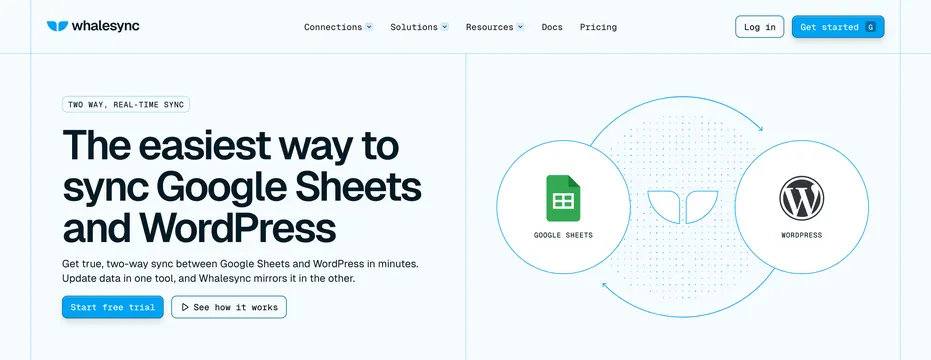
Split hero with nav bar, left copy stack for Google Sheets and WordPress sync, and a right circular loop diagram connecting both app icons.
Summary
Integration landing hero with full nav, TWO WAY REAL-TIME SYNC badge, headline about syncing Google Sheets and WordPress, dual CTAs, and a circular two-app loop diagram on the right.
Visual description
White page with thin blue grid lines dividing header and hero. Nav: Whalesync logo, Connections/Solutions/Resources dropdowns, Docs, Pricing, Log in ghost button, blue Get started with G icon. Left hero: pill badge, large navy headline "The easiest way to sync Google Sheets and WordPress," subcopy about two-way sync in minutes, blue Start free trial button, outlined See how it works with play icon. Right hero: circular diagram with Google Sheets and WordPress icons in white outlined circles connected by curved blue arrows, Whalesync whale icon at center on a dot grid.
Key takeaway
Circular loop diagram instantly communicates bi-directional sync between two named tools. Pair-specific headline targets SEO landing pages per integration. Thin grid lines structure the hero without heavy containers.
Reuse notes
Template for per-integration landing pages. Swap app icons and headline for each pair. Play-button secondary CTA suits products with demo video. Requires recognizable third-party logos.
More hero sections
See all


More like this

Keep what you find
A free account saves references to boards and can send you a weekly email of picks based on what you save.
To see every result, go Pro.