Preview image. Unlock full-res
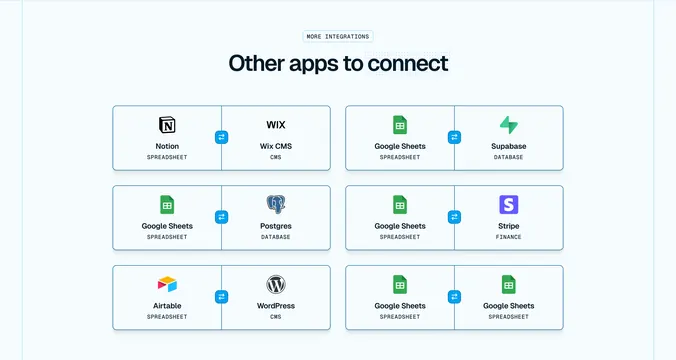
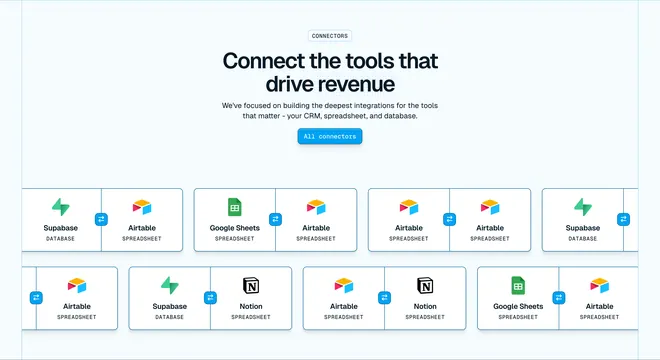
Six-card grid where each integration shows two apps divided by a central two-way sync icon on white cards over pale blue.
Summary
MORE INTEGRATIONS badge above "Other apps to connect" and a 2x3 grid of split cards pairing two apps with a central bidirectional sync circle.
Visual description
Pale blue background. Centered MORE INTEGRATIONS pill in monospace caps, bold navy headline. Six white rounded cards in two columns, three rows. Each card split vertically by a thin blue line with a blue circle containing opposing arrows at center. Each half shows app logo, bold name, and category label (SPREADSHEET, CMS, DATABASE, FINANCE). Pairs shown: Notion + Wix CMS, Google Sheets + Supabase, Google Sheets + Postgres, Google Sheets + Stripe, Airtable + WordPress, Google Sheets + Google Sheets.
Key takeaway
Split-card with center sync icon is a reusable pattern for any two-sided integration. Category labels under app names clarify role in the pair. Uniform card size creates a browsable catalog without carousel complexity.
Reuse notes
Ideal for integration directory pages. Scale by adding rows; card template stays constant. Same-app pair (Sheets to Sheets) shows same-tool sync use case.
More integrations sections
See all



More like this

Keep what you find
A free account saves references to boards and can send you a weekly email of picks based on what you save.
To see every result, go Pro.