Preview image. Unlock full-res
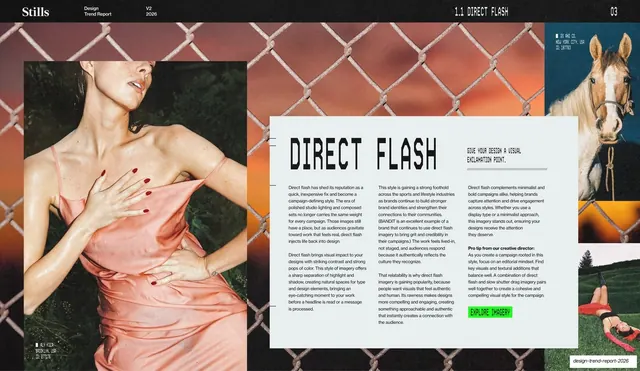
Direct Flash trend spread with a giant stencil headline and three-column rationale on a floating panel, over a full-bleed flash portrait and a lime-green call-to-action button.
Summary
The Direct Flash explainer: a full-bleed flash-lit portrait with a large off-white panel floating over it, carrying a giant stencil "DIRECT FLASH" headline, three columns of rationale, and a lime-green "EXPLORE IMAGERY" button.
Visual description
A dark, full-bleed flash photograph of a woman in a satin slip against a chain-link fence fills the slide, with a horse photo peeking at the top-right and the running header above. A large off-white rounded panel sits over the lower-right two-thirds. On it: a big black stencil "DIRECT FLASH" headline, a short all-caps monospace tagline ("GIVE YOUR DESIGN A VISUAL EXCLAMATION POINT."), three columns of small body copy explaining the trend, a bold "Pro tip from our creative director" line, and a small lime-green "EXPLORE IMAGERY" button at the bottom.
Key takeaway
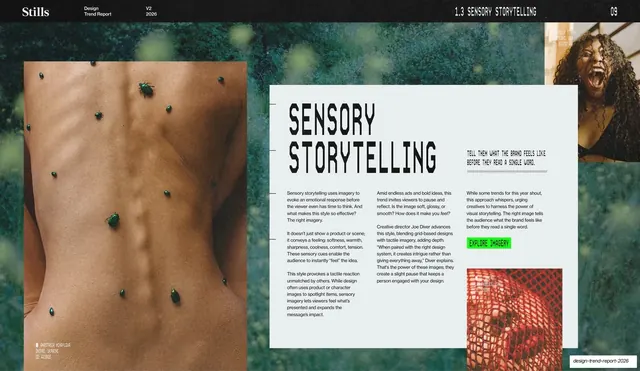
The floating-panel-over-photo layout: full-bleed imagery for atmosphere, a legible off-white card for the actual reading copy, and one bright green button as the single action. This template repeats per trend, giving the report a consistent, scannable grammar.
Reuse notes
The core per-trend layout for this deck and a reusable pattern for any report that explains concepts over hero imagery. The panel keeps body text readable on busy photos. Reuse the green button as a consistent CTA. Needs a strong full-bleed image behind the panel to justify the treatment.
From this deck: Direct Flash trend write-up
View deck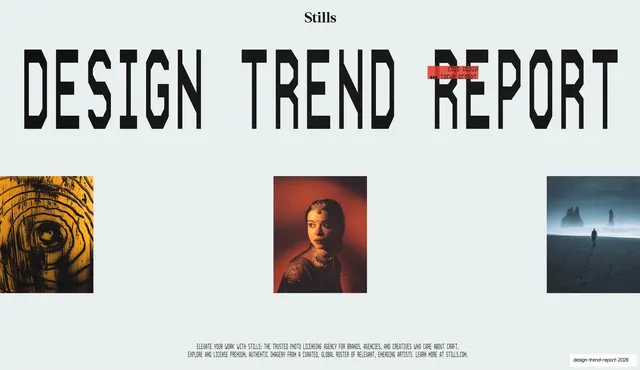

More like this
Keep what you find
A free account saves references to boards and can send you a weekly email of picks based on what you save.
To see every result, go Pro.