Preview image. Unlock full-res
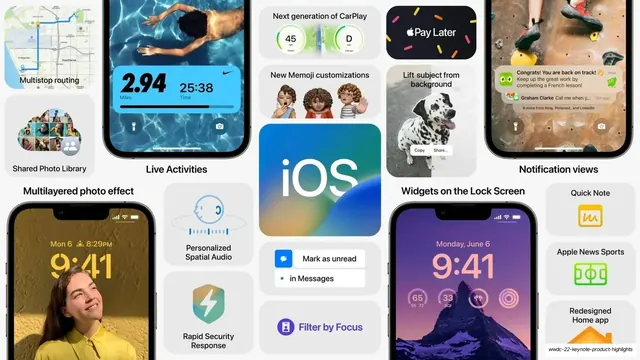
A bento grid of iOS 16 features around a spectrum-gradient "iOS" tile, leaning on iPhone lock-screen and Live Activities screenshots.
Summary
The iOS slide: a bento grid of iOS 16 features built around a glossy spectrum-gradient "iOS" tile, dominated by iPhone lock-screen and Live Activities mockups.
Visual description
A light gray field of soft-cornered cards. A center tile holds the spectrum-gradient "iOS" wordmark in white. The grid mixes full iPhone screenshots (a swimming Live Activity with a 2.94 mile readout, a Multilayered photo-effect lock screen with a yellow portrait, Widgets on the Lock Screen with weather and air-quality complications, Notification views on a climbing photo) with smaller cards: a Maps Multistop routing card, a Shared Photo Library tile, a dark Apple Pay Later card with confetti dots, New Memoji customizations showing three Memoji, Lift subject from background with a dalmatian cutout, and icon or chip cards for Personalized Spatial Audio, Rapid Security Response, Mark as unread, Filter by Focus, Quick Note, Apple News Sports, and a redesigned Home app. Color is largely grayscale with green and the gradient wordmark as the accents; one card uses the photo's warm yellow. No section headers, just the dense card mosaic.
Key takeaway
Using tall full-phone screenshots as the large anchor tiles and reserving small square cards for secondary features, so the eye lands on the flagship lock-screen story first. The recurring spectrum wordmark tile as a consistent slide label across the OS set.
Reuse notes
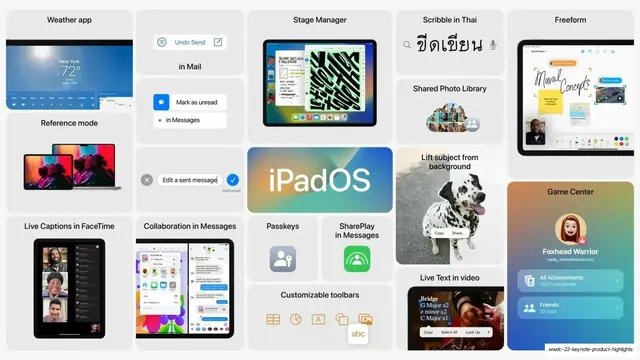
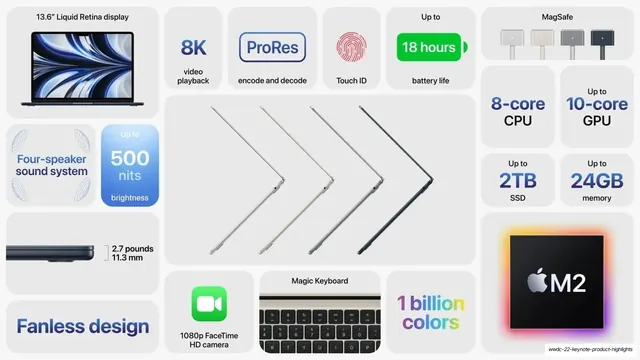
A template for a mobile app's release recap when the headline features are screen-level (lock screen, widgets) and the rest are smaller additions. The tall-screenshot-as-anchor pattern works whenever device mockups are vertical. Completes the OS bento trio with the watchOS and iPadOS slides.
From this deck: iOS 16 feature bento grid
View deck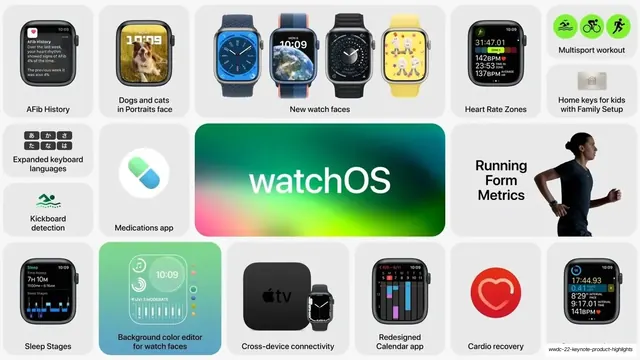
More like this



Keep what you find
A free account saves references to boards and can send you a weekly email of picks based on what you save.
To see every result, go Pro.