Preview image. Unlock full-res
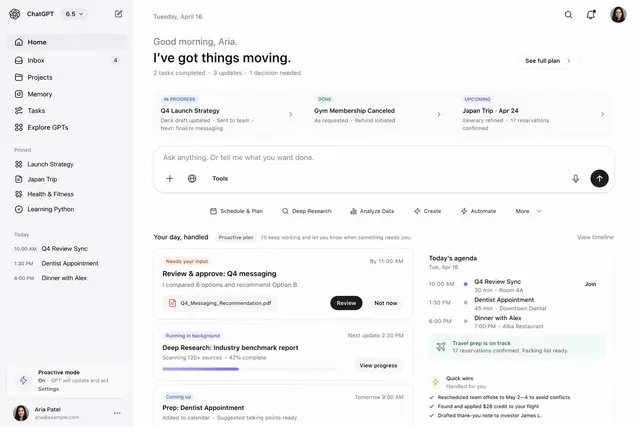
Task and project management dashboard with sidebar navigation, status-grouped card columns (In Progress, Done, Upcoming), and an AI chat prompt bar.
Summary
Productivity dashboard combining left sidebar (ChatGPT logo, navigation, pinned items, timeline) with a main column of Kanban-style status groups and an AI prompt bar at bottom.
Visual description
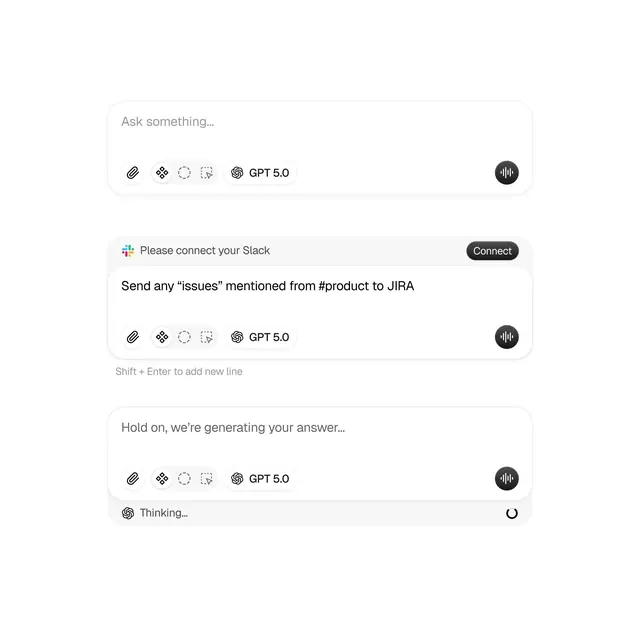
Left sidebar: ChatGPT 6.5 logo and dropdown, home/inbox/projects/memory/tasks/explore-GPTs navigation icons, then pinned section (Launch Strategy, Japan Trip, Health & Fitness, Learning Python) and a today timeline (10:00 AM Q4 Review Sync, 1:30 PM Dentist, 6:00 PM Dinner with Alex) with user footer. Main area: greeting "Good morning, Aria." with status headline "I've got things moving" and summary (2 completed, 3 updates, 1 decision). Three vertical columns: In Progress (Q4 Launch Strategy card with deck draft status), Done (Gym Membership Canceled card with refund status), Upcoming (Japan Trip card with itinerary and reservations). Center: large chat input bar "Ask anything. Or tell me what you want done" with icon and send controls. Below: action buttons (Schedule & Plan, Deep Research, Analyze Data, Create, Automate, More). Bottom right: Your day section with status card (needs review prompt for Q4 messaging) and today's agenda timeline showing events with Join links.
Key takeaway
The three-column status grouping (In Progress / Done / Upcoming) as an alternative to strict Kanban, reducing overwhelm while keeping context. The persistent sidebar with pinned shortcuts versus a collapsible menu. The large, conversational chat prompt ("Ask anything") as a natural entry point for AI features. The embedded event timeline and micro-status indicators (e.g., "Needs your input") embedded in cards without modal disruption.
Reuse notes
Excellent for productivity apps, project dashboards, and any task-tracking tool augmented with AI. The muted gray palette and ample whitespace keep focus on content rather than decoration. Good candidate for multi-column layouts on desktop, but consider card-stacking on mobile. The blend of AI prompts with traditional task management signals a modern, hybrid interaction model.