Preview image. Unlock full-res
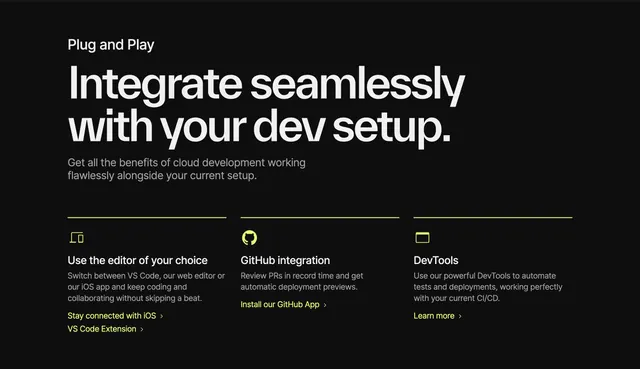
Dark three-column integrations section with lime accent lines introducing editor, GitHub, and DevTools pathways.
Summary
"Plug and Play" header over three integration columns for editor choice, GitHub app, and DevTools automation each with lime icon, copy, and chevron links.
Visual description
Black page with small white "Plug and Play" label, large white headline about integrating with your dev setup, and gray intro paragraph. Three equal columns separated by thin lime top rules each include lime line icon (laptop plus phone, GitHub mark, browser window), white subheading, gray body copy, and one or two lime text links with chevrons (iOS, VS Code Extension, GitHub App, Learn more).
Key takeaway
Lime horizontal rules act as column headers without heavy boxes. Parallel column structure makes three integration paths equally scannable.
Reuse notes
Template for developer platforms listing ecosystem touchpoints. Lime accent must stay consistent sitewide; columns need distinct enough copy to avoid repetition.
More integrations sections
See all






More like this

Keep what you find
A free account saves references to boards and can send you a weekly email of picks based on what you save.
To see every result, go Pro.