Preview image. Unlock full-res
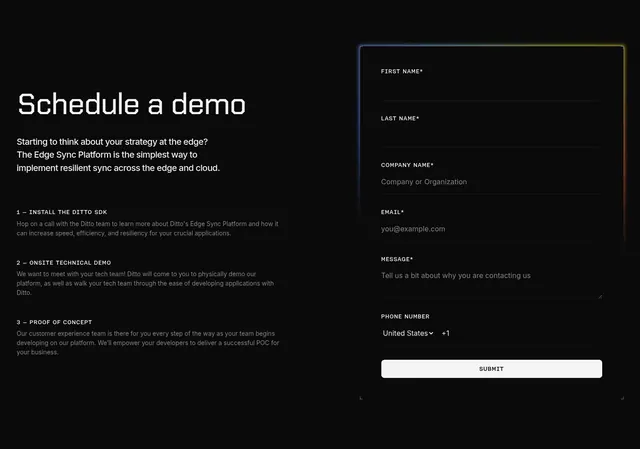
Dark two-column demo section with a steps explainer on the left and a contact form in a gradient-glow-bordered card on the right.
Summary
A dark split demo section: a "Schedule a demo" pitch with three numbered process steps on the left and a multi-field contact form wrapped in a glowing gradient border on the right.
Visual description
Near-black background with a faint dotted grid texture. The left column leads with "Schedule a demo" in a wide technical/monospace display face, followed by two lines of intro copy, then three steps labeled "1 - INSTALL THE DITTO SDK", "2 - ONSITE TECHNICAL DEMO", and "3 - PROOF OF CONCEPT" in mono all-caps, each with a short muted paragraph. The right column is a rounded card whose border glows with a subtle multi-color (blue to amber to red) gradient. Inside, an underline-style form stacks First Name, Last Name, Company Name, Email, Message (with a textarea), and a Phone Number row with a United States country dropdown and +1 prefix, closed by a white pill "SUBMIT" button.
Key takeaway
The thin multi-color gradient stroke lighting only the form card's edge, making the form the bright focal point against an otherwise flat dark field. Pairing a numbered "what happens next" list with the form sets expectations right beside the input.
Reuse notes
Good for a developer-facing or enterprise SaaS demo request where you want to both reassure and capture leads in one view. The glow edge only works on a dark background. Underline-only fields look clean but need clear labels, which this keeps in mono all-caps above each input.