Preview image. Unlock full-res
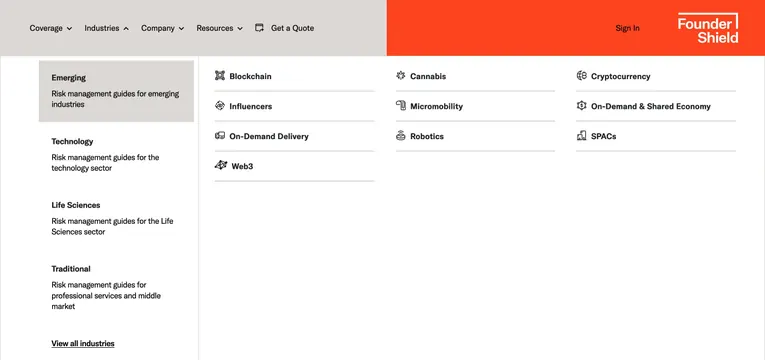
Industries dropdown with a left category sidebar and a three-column icon grid of sector links under the split-color navbar.
Summary
The Industries menu pairs a left-hand category list with a right-hand three-column grid of icon-labeled sub-industry links, with Emerging selected by default.
Visual description
Industries in the top bar shows an up chevron. Below, a white mega panel splits into sidebar and content. Left sidebar lists four category blocks: Emerging highlighted on a light gray rectangle with bold title and gray subline "Risk management guides for emerging industries"; Technology, Life Sciences, and Traditional follow with the same title-plus-description pattern; an underlined View all industries link sits at the bottom. Right area displays Emerging sub-items in three columns separated by thin horizontal rules. Each row pairs a small black line icon with bold label: Blockchain, Influencers, On-Demand Delivery, Web3, Cannabis, Micromobility, Robotics, Cryptocurrency, On-Demand and Shared Economy, and SPACs. Icons are simple vector glyphs on white.
Key takeaway
Sidebar-to-grid navigation scales deep taxonomies without nested flyouts. Short gray descriptors under each sidebar category explain the bucket before users scan the icon grid.
Reuse notes
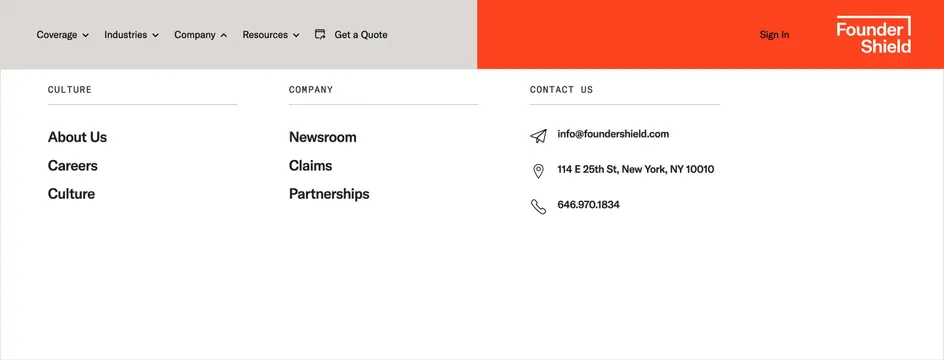
Strong for insurance, consulting, or vertical SaaS sites with many industry pages. Needs a consistent icon set and concise category names; dense catalogs may require pagination or search. Pairs with the Founder Shield split navbar but adapts to any light mega-menu system.