Preview image. Unlock full-res
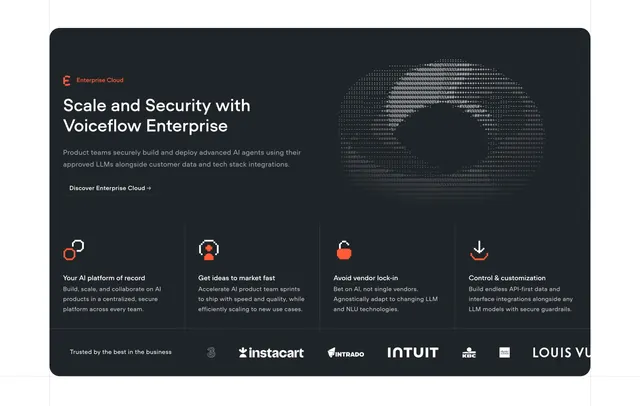
Dark contained feature panel with a split intro, ASCII-art globe and a four-column row of pixel icons over a logo strip.
Summary
A dark, rounded "Enterprise Cloud" feature panel that pairs a left intro block with an ASCII-art globe, then a four-column row of pixel-style icon features and a partner logo strip. The retro ASCII globe and orange pixel icons define the look.
Visual description
A single large charcoal card with rounded corners contains the whole section. Top left carries a small orange "Enterprise Cloud" eyebrow with a mark, an oversized two-line white headline "Scale and Security with Voiceflow Enterprise", two lines of grey sub-copy, and a ghost pill button "Discover Enterprise Cloud". Top right shows a monochrome ASCII-character rendering of a globe. A faint hairline divides the panel, below which a four-column row lists Your AI platform of record, Get ideas to market fast, Avoid vendor lock-in and Control & customization, each led by a small orange-accented pixel icon (person, headset, padlock, download) with a bold white heading and grey body. A bottom row reads "Trusted by the best in the business" beside white client logos (Instacart, Intrado, Intuit, KBC, Charles Schwab, Louis Vuitton).
Key takeaway
The ASCII-art globe as a low-fi, on-brand alternative to a glossy 3D render, and the chunky orange pixel icons that give a developer-tool personality. Wrapping the entire section in one rounded dark card sets it apart from the surrounding page.
Reuse notes
Good for an enterprise tier callout that needs to feel both technical and trustworthy, especially with recognizable client logos. The pixel and ASCII treatment reads as deliberately retro, so it suits dev-facing brands more than polished consumer ones. Works only on dark.