Preview image. Unlock full-res
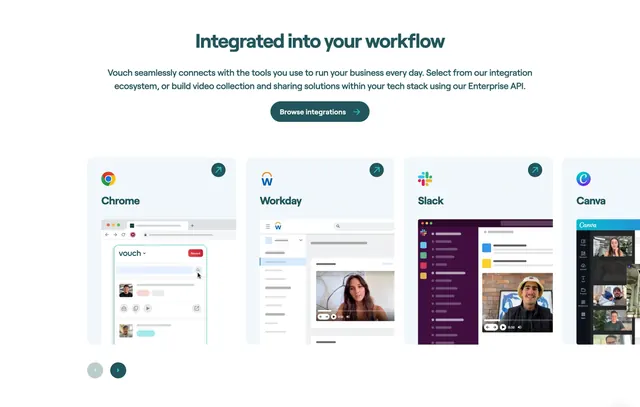
Centered integrations section with browse button and horizontal cards showing Chrome, Workday, Slack, and Canva mockups.
Summary
Centered integrations section with browse button and horizontal cards showing Chrome, Workday, Slack, and Canva mockups.
Visual description
White page with centered headline Integrated into your workflow, two-line subcopy, and dark teal Browse integrations pill button. Below, a horizontal row of large grey rounded cards shows partner logos and simplified in-product UI mockups for Chrome, Workday, Slack, and Canva with external-link dots. Circular arrow controls sit bottom-left.
Key takeaway
Simplified in-context UI mockups inside partner cards instead of logo-only tiles.
Reuse notes
Integration sections where showing how the product appears inside other tools matters.
More integrations sections
See all


More like this
Keep what you find
A free account saves references to boards and can send you a weekly email of picks based on what you save.
To see every result, go Pro.