Preview image. Unlock full-res
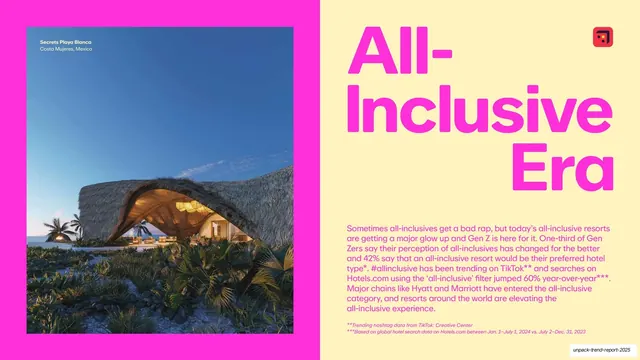
All-Inclusive Era opener with a giant magenta stacked headline on pale yellow, a resort photo in a pink frame, and a magenta body block.
Summary
The All-Inclusive Era opener: a giant magenta "All-Inclusive Era" headline stacks on pale yellow beside a pink-framed resort photo, with a magenta body paragraph beneath.
Visual description
The slide sits on pale-butter yellow (#F7EBA8). At left, a hot-pink (#FF2EC4) frame holds a twilight photograph of a thatched-roof resort pavilion (Secrets Playa Blanca, Costa Mujeres) with a corner caption. The right is dominated by an oversized three-line "All- / Inclusive / Era" headline in hot magenta heavy rounded sans, with a small Hotels.com mark top-right. Below the headline sits a block of magenta body copy with two small italic footnotes. The magenta-on-yellow combination is this section's signature.
Key takeaway
Pushing the accent color to its loudest (magenta on yellow) for the section that needs the most energy, while keeping the exact same opener template as quieter sections. Framing the photo in the accent color ties image and type together.
Reuse notes
Use the boldest color pairing for the section you most want to pop, but verify contrast: magenta body copy on yellow is near the legibility edge at small sizes. The frame-the-photo-in-accent move is a cheap, reusable way to unify a split.