Preview image. Unlock full-res
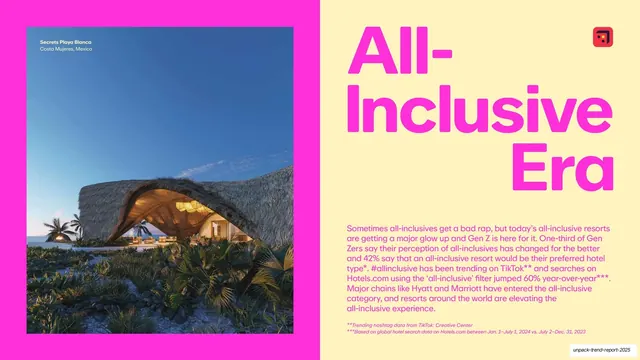
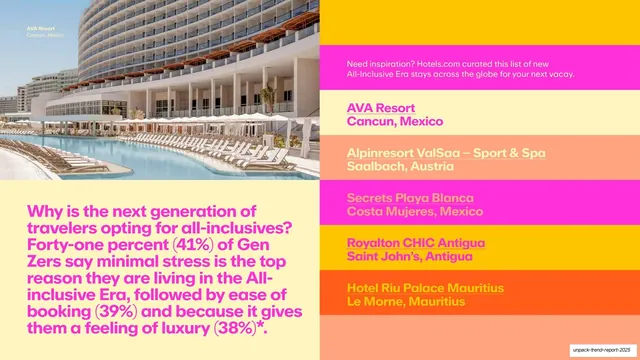
All-Inclusive data slide with a magenta stat paragraph and a stacked color-blocked list of five resorts beside a resort pool photo.
Summary
An All-Inclusive Era data slide: a magenta stat paragraph and a stacked stack of color-blocked resort rows sit beside a resort-pool photo, each row a different flat hue.
Visual description
Top-left is a photograph of a curved resort pool flanked by loungers (AVA Resort, Cancun). Below it, on pale yellow, a magenta (#FF2EC4) paragraph explains why Gen Z chooses all-inclusives, with bracketed stats (41%, 39%, 38%). The right half is a vertical stack of full-width color-blocked rows in alternating magenta, gold (#F7B500), peach (#F4A47A) and salmon, each naming a resort and its location ("AVA Resort, Cancun, Mexico", "Alpinresort ValSaa, Saalbach, Austria", "Secrets Playa Blanca, Costa Mujeres, Mexico", "Royalton CHIC Antigua", "Hotel Riu Palace Mauritius"), with each row's text color shifting against its band.
Key takeaway
Turning a plain list into a stack of full-width color bands, each in a different flat hue from the section family, so a five-item list becomes a graphic gradient. Pairing it with one photo and a stat paragraph keeps the slide on-system.
Reuse notes
A vivid alternative to a bulleted list for ranked picks or feature rows. Works when you have a tight palette to cycle through; random colors would look chaotic. Watch text-on-band contrast as the hues shift.
From this deck: All-Inclusive Era picks (color-blocked resort list)
View deck




More like this




Keep what you find
A free account saves references to boards and can send you a weekly email of picks based on what you save.
To see every result, go Pro.