Preview image. Unlock full-res
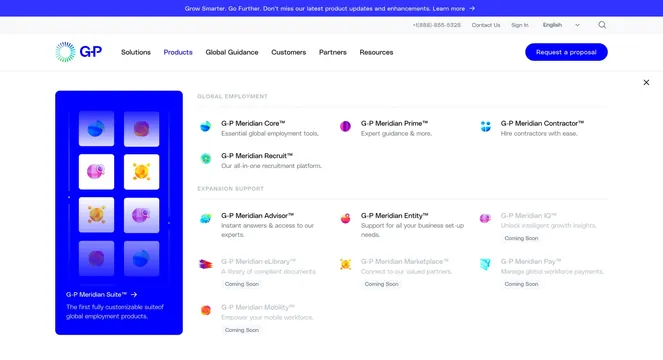
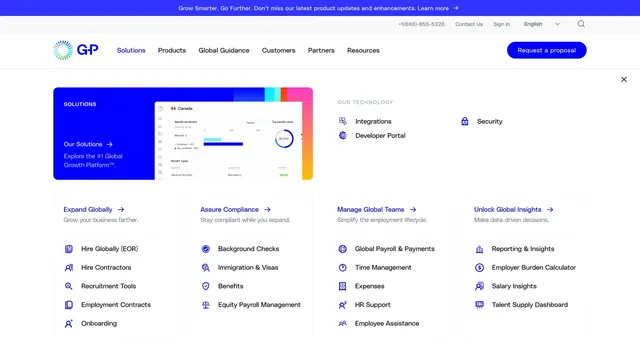
Solutions dropdown combining a blue hero panel with product UI, a technology link row, and four categorized link columns for global expansion workflows.
Summary
The Solutions mega menu anchors on a branded blue feature block with dashboard imagery, then fans out into technology links and four outcome-based link columns.
Visual description
Same G-P header stack as the home page: announcement bar, utility links, logo, nav with Solutions highlighted in blue, and a primary CTA button. The white dropdown overlay includes a close control. Upper left shows a large blue panel labeled SOLUTIONS with copy "Our Solutions -> Explore the #1 Global Growth Platform" and an inset product screenshot of a Canada dashboard with charts and metrics. Upper center-right lists OUR TECHNOLOGY with three icon links: Integrations, Developer Portal, and Security. Below, four equal columns each open with a bold category title and arrow (Expand Globally, Assure Compliance, Manage Global Teams, Unlock Global Insights), a gray subline, and five to six plain text sub-links covering hiring, compliance, payroll, and insights topics.
Key takeaway
Using one product screenshot inside the menu proves platform depth without leaving navigation. Grouping links by customer outcome rather than product SKU makes a long link list feel navigable.
Reuse notes
Best for complex B2B platforms with many modules. Requires a crisp UI capture and disciplined copy hierarchy. Four columns need horizontal space; collapse to stacked groups on smaller breakpoints.