Preview image. Unlock full-res
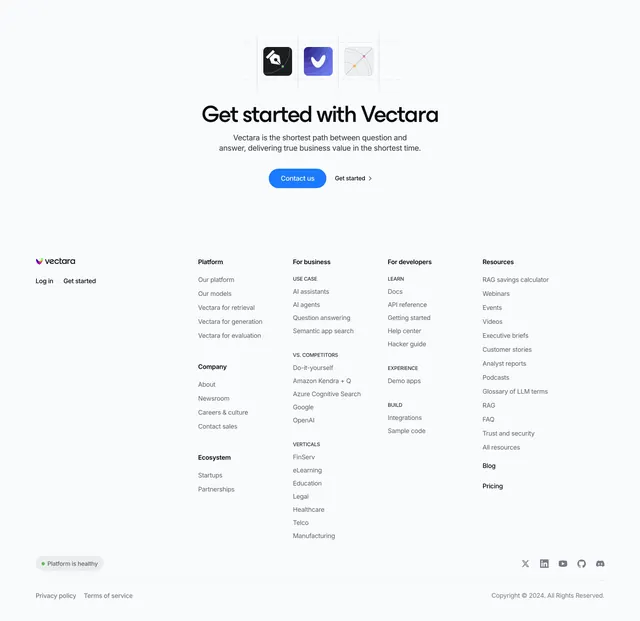
Centered light CTA with a trio of rounded app-icon tiles on a faint blueprint grid above an oversized headline and two buttons.
Summary
A centered, airy CTA on a near-white page led by three rounded app-icon tiles sitting on faint dashed construction lines. The defining move is the blueprint-style guide grid framing the icon trio above the headline.
Visual description
Very light grey-blue background. At top center, three squircle icon tiles sit in a row: a black tile with a pen-nib mark, a blue-violet tile with a check or swoosh glyph, and a pale tile with a thin curved path and dots. Faint dashed horizontal and vertical guide lines run through and around the tiles like a layout grid. Below, a large centered headline "Get started with Vectara" in a rounded near-black sans, then two muted lines of sub-copy. Two buttons sit centered beneath: a filled blue pill "Contact us" and a plain "Get started" text button with a chevron.
Key takeaway
Floating a small set of rounded icon tiles on faint dashed blueprint lines to add a precise, technical texture above a simple centered CTA. The guide-line grid gives an otherwise minimal block a designed, engineered feel without any heavy graphics.
Reuse notes
Good lightweight closing CTA for AI, search, or developer products that want a calm, technical tone. The dashed grid reads as construction guides, so keep it subtle. Works on light backgrounds; the single blue button is the only color accent.