Preview image. Unlock full-res
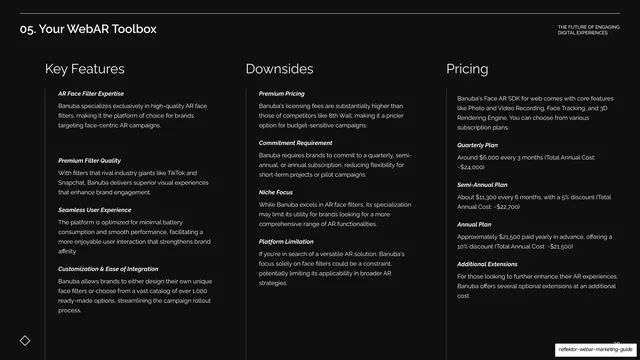
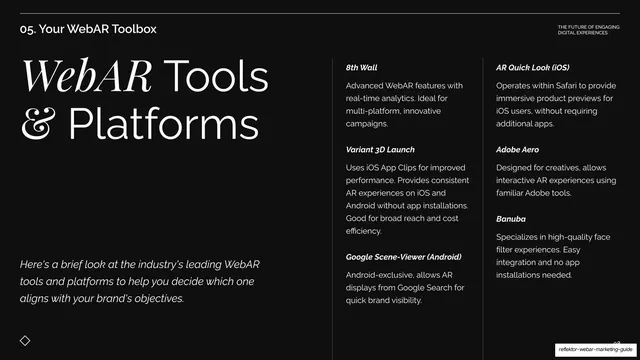
Dark toolbox opener with a big mixed sans-and-italic-serif headline left and two columns previewing the platforms covered.
Summary
The opener for the long toolbox section: a "WebAR Tools & Platforms" headline previews six platforms across two columns of short blocks.
Visual description
Near-black background under the "05. Your WebAR Toolbox" header. The left holds an oversized two-line headline, "WebAR Tools & Platforms", with "WebAR" set in italic serif inside the sans. Beneath it, an italic sans intro line explains the section will survey leading WebAR tools. The right two-thirds carries two columns of short bold-italic-labeled blocks naming the platforms to come: "8th Wall", "Variant 3D Launch", "Google Scene-Viewer (Android)" on the left; "AR Quick Look (iOS)", "Adobe Aero", "Banuba" on the right, each with a one-line summary. Faint vertical hairlines divide the columns. The diamond motif sits bottom-left.
Key takeaway
Previewing every item in a long section on one overview slide before the deep dives, so the audience has a map. Keeping the same bold-italic-label block style used elsewhere ties the preview to the detail slides that follow.
Reuse notes
A useful section-index slide for any deck with a long comparison run. Set expectations here, then give each item its own spotlight. The two-column block preview scales to roughly four to eight items.