Preview image. Unlock full-res
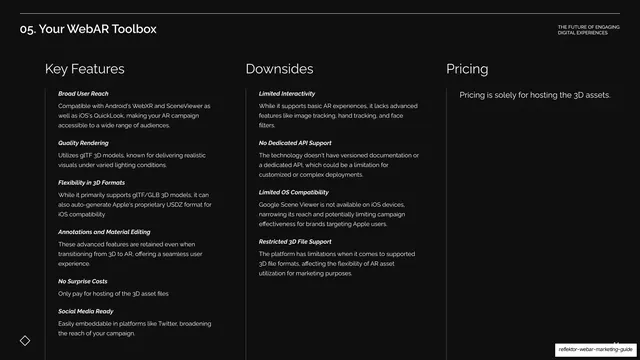
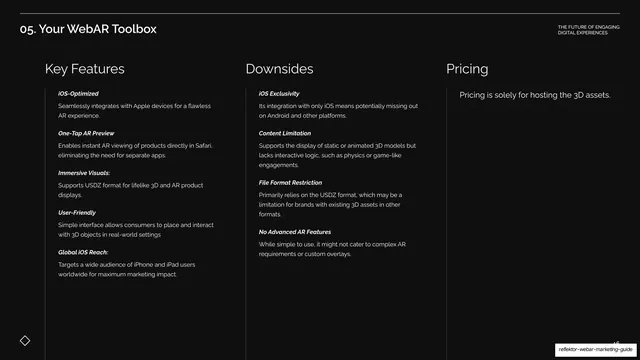
Dark three-column table comparing Model Viewer's Key Features, Downsides, and Pricing with bold-italic sub-labels.
Summary
The Model Viewer comparison table: three columns headed Key Features, Downsides, and Pricing, each a stack of bold-italic-labeled entries.
Visual description
Near-black background under the "05. Your WebAR Toolbox" header, no oversized title. Three columns headed "Key Features", "Downsides", and "Pricing" in white sans are divided by faint vertical hairlines. Key Features lists six bold-italic entries (Broad User Reach, Quality Rendering, Flexibility in 3D Formats, Annotations and Material Editing, No Surprise Costs, Social Media Ready); Downsides lists four (Limited Interactivity, No Dedicated API Support, Limited OS Compatibility, Restricted 3D File Support); Pricing reads "Pricing is solely for hosting the 3D assets." The diamond motif sits bottom-left.
Key takeaway
Holding the exact comparison structure for every tool, including a short Pricing column that here highlights a near-zero cost, lets the cheapest option stand out without any special styling, just by the table being consistent.
Reuse notes
Reuse as the standard breakdown after each spotlight. The format makes "free except hosting" read as a clear advantage simply by occupying the same Pricing slot as competitors' fees.
From this deck: Model Viewer features, downsides, pricing
View deck




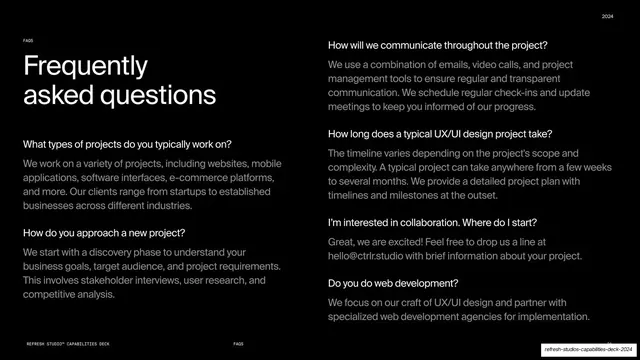
More like this



Keep what you find
A free account saves references to boards and can send you a weekly email of picks based on what you save.
To see every result, go Pro.