Preview image. Unlock full-res
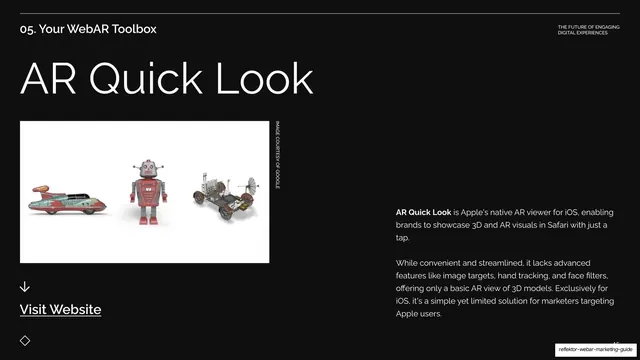
Dark tool-spotlight with an oversized AR Quick Look title, a courtesy image of three 3D models on white left, and body copy plus a Visit Website link right.
Summary
The AR Quick Look deep-dive: an oversized "AR Quick Look" title with a courtesy image of three 3D models on the left and an overview paragraph plus Visit Website link on the right.
Visual description
Near-black background under the "05. Your WebAR Toolbox" header. The oversized "AR Quick Look" title sits top-left in white sans. Below it, a white-background courtesy image shows three rendered 3D objects (a retro toy car, a tin robot, and a lunar rover), captioned vertically "IMAGE COURTESY OF GOOGLE". A down arrow and underlined "Visit Website" link sit beneath. The right column holds two white sans paragraphs describing AR Quick Look as Apple's native iOS AR viewer that runs in Safari with a tap, with "AR Quick Look" bolded. The diamond motif sits bottom-left.
Key takeaway
The clean white-background product still against the deck's black field gives the rendered models maximum contrast and a catalog-like clarity, while the rest of the spotlight template stays unchanged.
Reuse notes
Reuse the spotlight template for a platform-native tool. A plain white image panel of objects is an easy, high-contrast way to show 3D or product assets on a dark deck.
From this deck: AR Quick Look tool spotlight
View deck
More like this


Keep what you find
A free account saves references to boards and can send you a weekly email of picks based on what you save.
To see every result, go Pro.