Preview image. Unlock full-res
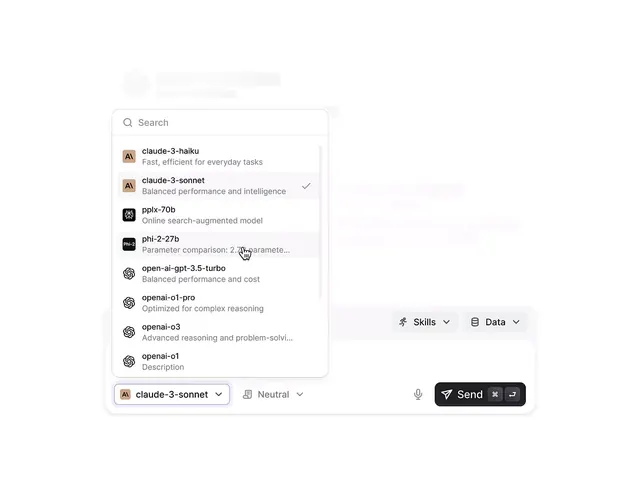
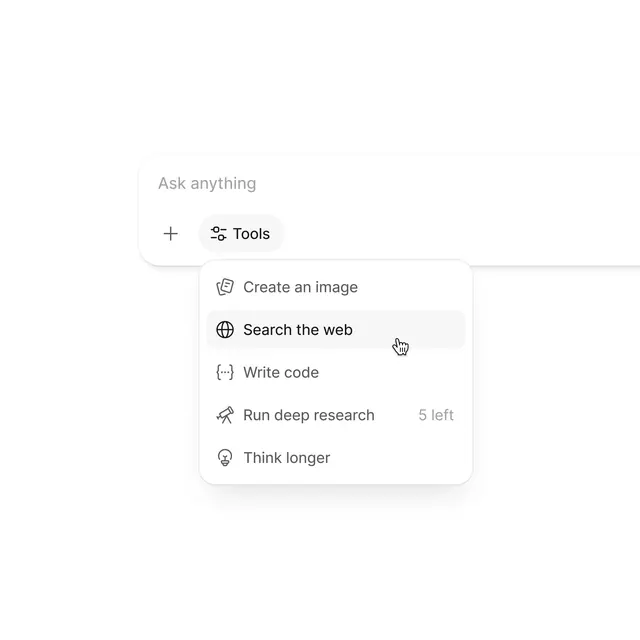
A dropdown menu interface for an AI assistant showing five action options with clear icons and right-aligned usage indicators.
Summary
A minimalist dropdown menu for an AI assistant with five action options displayed as icon-label pairs, including usage limits on the right.
Visual description
A light background with two UI elements stacked vertically. The top shows an input field with placeholder text "Ask anything" and a Tools button with a sliders icon. Below is a rounded-corner dropdown menu showing five action options: "Create an image" with a card icon, "Search the web" with a globe icon, "Write code" with a code-brackets icon, "Run deep research" with a shovel icon and "5 left" usage indicator on the right, and "Think longer" with a lightbulb icon. All text uses a clean sans-serif typeface in dark gray on light backgrounds, with consistent left-aligned icons and right-aligned secondary text.
Key takeaway
The clear visual hierarchy achieved by left-aligning icons and labels while right-aligning secondary information like usage counts. The simple dropdown structure that avoids visual clutter while making multiple actions discoverable. The icon choice that makes each action immediately scannable.
Reuse notes
Strong pattern for productivity tools and AI assistants where users need quick access to multiple modes or actions. The usage indicator pattern works well when quota or rate-limiting is part of the feature set.