Preview image. Unlock full-res
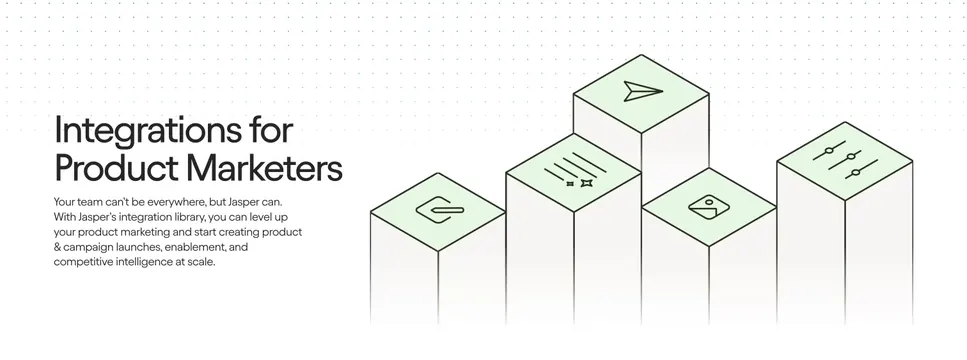
Light split integrations section with a left headline and copy beside a right cluster of staggered 3D isometric bars topped with green line icons over a dot grid.
Summary
A light integrations section that sets a left-aligned headline and paragraph against a right-hand cluster of staggered isometric 3D bars, each capped with a green-faced line icon, over a faint dot grid.
Visual description
On a white background scattered with a subtle blue dot grid in the upper area, the left column carries a two-line oversized dark headline, "Integrations for Product Marketers", followed by a four-line muted paragraph about Jasper's integration library. The right two-thirds shows five tall rectangular bars drawn in isometric perspective at staggered heights, their light grey faces fading toward the bottom and their top faces filled pale green. Each top face holds a thin dark line icon (paperclip-style hook, sliders, image, paper plane, sparkle/star). The bars read like a 3D bar chart of integration categories.
Key takeaway
Turning an integrations pitch into a staggered isometric "bar chart" of icons gives an abstract visual that implies many connected tools without naming any. The pale-green icon faces add a single accent color against an otherwise grey-and-white scene.
Reuse notes
Use when you want to communicate breadth of integrations but cannot or do not want to show specific partner logos. The isometric illustration needs room on the right, so keep copy concise on the left. Pairs with a downstream logo wall if real partners are added later. Works on light.
More integrations sections
See all




More like this




Keep what you find
A free account saves references to boards and can send you a weekly email of picks based on what you save.
To see every result, go Pro.