Preview image. Unlock full-res
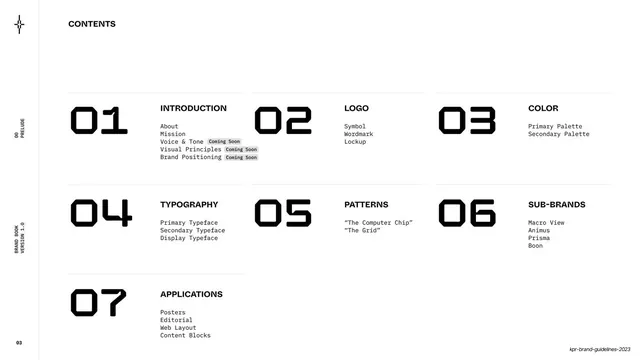
A seven-item table of contents laid out as a three-column grid, each entry led by an oversized squared numeral.
Summary
The contents page: seven numbered sections arranged in a three-column grid, each with a big squared numeral and a short list of sub-topics.
Visual description
White page with a small bold "CONTENTS" title upper-left. Below, seven entries laid out across three columns and three rows: 01 INTRODUCTION, 02 LOGO, 03 COLOR, 04 TYPOGRAPHY, 05 PATTERNS, 06 SUB-BRANDS, 07 APPLICATIONS. Each entry pairs a large squared seven-segment-style numeral with a bold all-caps title and a monospace sub-list (e.g. About, Mission, Voice & Tone). Three sub-items under Introduction carry small grey "Coming Soon" pill tags. Thin hairline rules sit above each row. The left margin runs the standard vertical rule with the star mark and rotated labels "00 / PRELUDE", "BRAND BOOK / VERSION 1.0", and page "03".
Key takeaway
Using oversized brand numerals as the visual anchor of a contents page so the table doubles as a type specimen. The small "Coming Soon" pills are an honest way to show a living document with unfinished sections.
Reuse notes
Good for any multi-section guideline or report contents page. The three-column numeral grid scales to six to nine sections cleanly. Reuse the "Coming Soon" tag idea for v1 documents that will expand.
From this deck: Contents page
View deck












More like this


Keep what you find
A free account saves references to boards and can send you a weekly email of picks based on what you save.
To see every result, go Pro.