Preview image. Unlock full-res
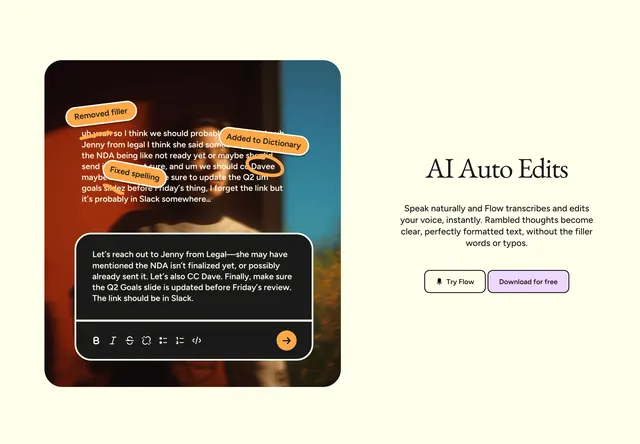
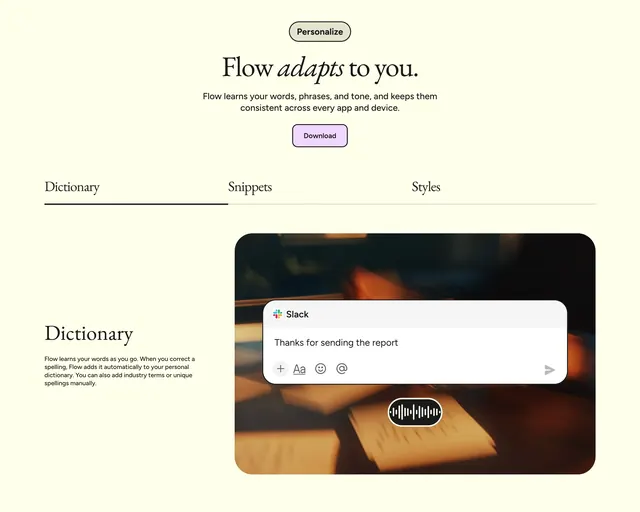
Cream feature block with a pill badge, serif headline, tabbed Dictionary or Snippets or Styles navigation, and a Slack mockup with voice widget.
Summary
Centered Flow personalization section leading with "Flow adapts to you," tabbed feature navigation, and a split layout pairing Dictionary copy with a Slack input mockup and waveform pill.
Visual description
Light cream background. Top center: thin-bordered "Personalize" pill badge, large black serif headline "Flow adapts to you" with italic "adapts," centered sans-serif subcopy about learning words and tone across apps, and lavender "Download" button with dark border. Below: three horizontal tabs (Dictionary active with thick black underline, Snippets and Styles inactive with faint rules). Active tab content splits left and right: left has serif "Dictionary" heading and body about auto-learning corrections and manual terms; right shows large dark rounded frame over blurred desk photo with white Slack compose bar ("Thanks for sending the report" plus formatting icons) and black waveform pill beneath.
Key takeaway
Tabs keep three related features in one section without scrolling past separate blocks. Showing personalization inside a familiar Slack compose UI makes the abstract benefit concrete.
Reuse notes
Reference for adaptive AI or writing tools explaining vocabulary learning. Tab pattern needs accessible keyboard and mobile fallbacks. Mockup density is moderate; swap Slack for your target app context.