Preview image. Unlock full-res
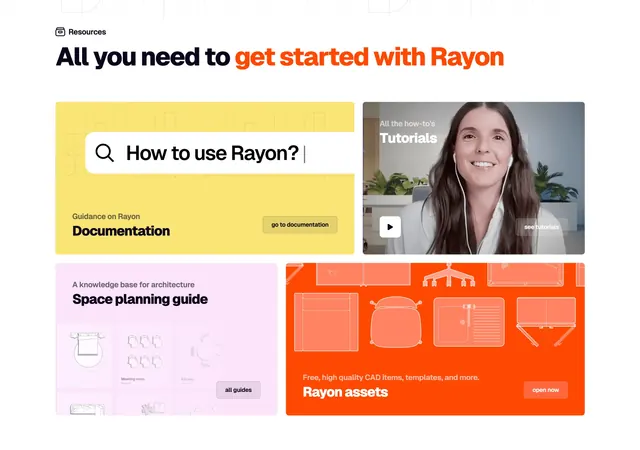
Light bento grid of colorful resource tiles mixing a giant search bar, a video thumbnail, and illustrated CAD cards.
Summary
A light resources section laid out as a colorful bento of large rounded tiles: a yellow documentation card with an oversized fake search bar, a video tutorials tile, a pink space-planning card, and an orange CAD-assets card.
Visual description
A small "Resources" label sits above a two-line headline "All you need to get started with Rayon", where "get started with Rayon" is set in bright orange and the rest in near-black. Below is a bento of rounded tiles on white. Top-left, a yellow tile holds a large white search field reading "How to use Rayon?" with a magnifier icon, labeled "Documentation" and a small "go to documentation" button. Top-right, a tutorials tile shows a photo thumbnail of a smiling woman with a circular play button and "see tutorials". Bottom-left, a pink "Space planning guide" tile previews faint furniture diagrams with an "all guides" chip. Bottom-right, a large orange "Rayon assets" tile shows outlined CAD furniture icons and an "open now" chip. Faint line-art drawings sit behind the headline.
Key takeaway
Turning a resources hub into a bento of differently-colored, differently-weighted tiles, each previewing its content type (a search bar for docs, a play button for video, line-art for assets). The two-tone headline highlights the brand name.
Reuse notes
Good for a docs/learning hub when you want it to feel inviting rather than utilitarian. The varied tile colors and content previews make a dense resource list scannable. Works on light backgrounds; needs real preview imagery per tile to avoid feeling empty.