Preview image. Unlock full-res
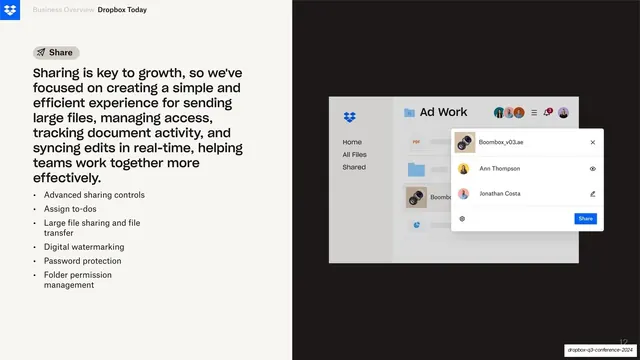
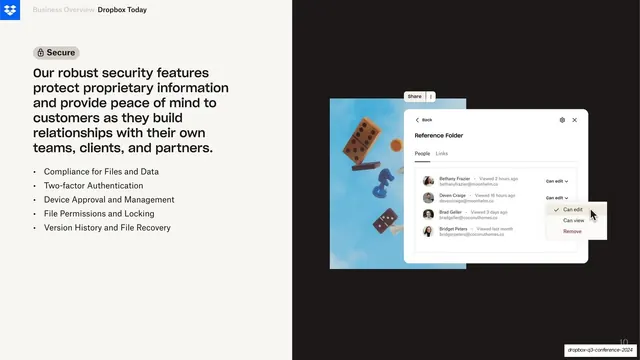
Split feature slide with a "Share" pill, body copy and bullets on cream at left, and a Dropbox sharing and access-controls UI mockup on near-black at right.
Summary
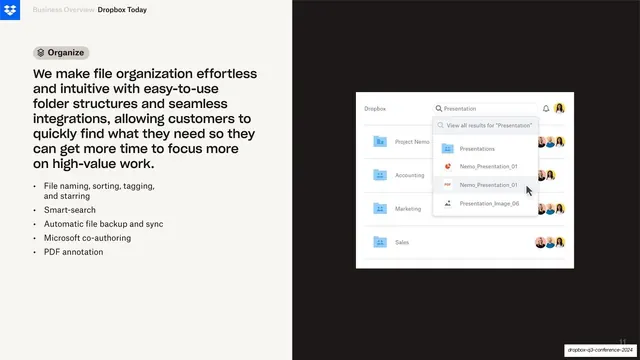
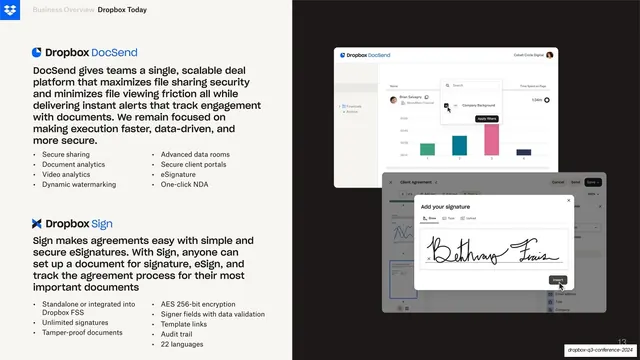
The sibling of the Organize slide: the same cream-and-black split, this time with a "Share" pill and a Dropbox file view whose sharing panel lists named collaborators with per-person access controls.
Visual description
Identical structure to its neighbor: cream left at about 45 percent, near-black right at about 55 percent, the Dropbox blue logo and "Business Overview / Dropbox Today" header at top-left. The left column leads with a grey rounded pill reading "Share" with a paper-plane icon, then a tall sans-serif paragraph about simple, efficient file sharing and real-time collaboration, then six bullets (advanced sharing controls, assign to-dos, large file transfer, digital watermarking, password protection, folder permissions). On the right a Dropbox file-browser mockup titled "Ad Work" sits over the black with a left nav (Home, All Files, Shared) and a file list; an overlaid white sharing panel lists a file plus collaborators Ann Thompson and Jonathan Costa, each with a small access icon, and a blue "Share" button bottom-right. Page number bottom-right.
Key takeaway
Running the exact same split layout as the previous slide so a feature series reads as one system, varying only the pill label, the bullet list, and the UI shot. The collaborator panel demonstrates the feature with named people rather than abstract chrome.
Reuse notes
Use as part of a paired or serial feature sequence where consistency between slides is the point. The repeated frame trains the audience to look left for the claim and right for proof. Keep the overlaid panel small enough that the underlying file list still reads as context.
From this deck: Share feature with access-controls UI
View deck






More like this




Keep what you find
A free account saves references to boards and can send you a weekly email of picks based on what you save.
To see every result, go Pro.