Preview image. Unlock full-res
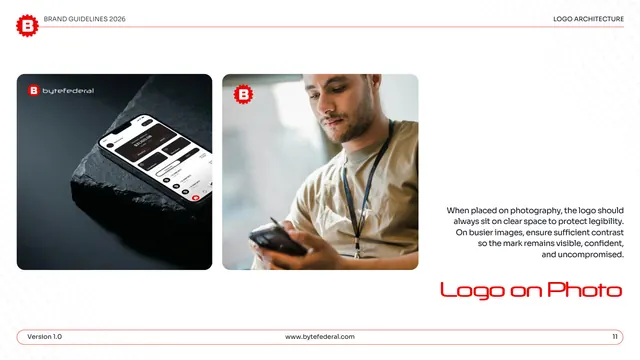
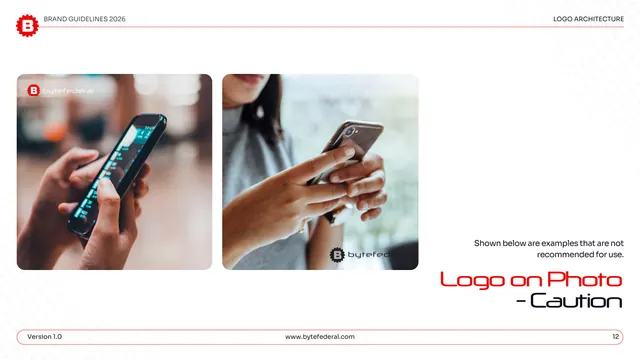
Logo-on-photography page showing the white logo placed on clear space over a product shot and a lifestyle image.
Summary
The approved logo-on-photo page: the white mark placed on clear space over two images, a phone-on-stone product shot and a person using a phone, to show correct placement on photography.
Visual description
White page under "LOGO ARCHITECTURE." Two rounded image cards sit side by side: left, a dark product shot of a phone propped on slate showing the Byte Federal app, with the white logo lockup top-left; right, a desaturated lifestyle photo of a man in a lanyard looking at a phone, with the red gear-B icon top-left. A right-hand gray note says the logo should always sit on clear space to protect legibility and needs sufficient contrast on busier images. "Logo on Photo" is set large in red display type lower right; the pill footer shows page "11."
Key takeaway
Demonstrating logo-on-image with both a controlled product shot and a busier lifestyle photo covers the easy and the hard case in one page. Placing the mark in the calmest corner of each image models the "clear space" rule rather than just stating it.
Reuse notes
A reusable approved-photography page for brands that overlay a logo on imagery. Pairs with a caution counterpart (here, page 12). Choose one clean and one busy image so the contrast guidance is illustrated, not abstract.
From this deck: Byte Federal logo on photo
View deck













More like this







Keep what you find
A free account saves references to boards and can send you a weekly email of picks based on what you save.
To see every result, go Pro.