Preview image. Unlock full-res
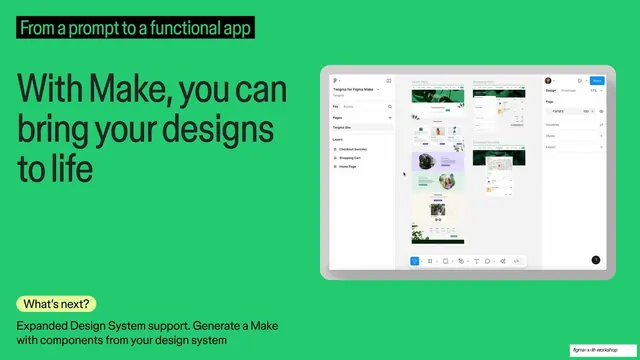
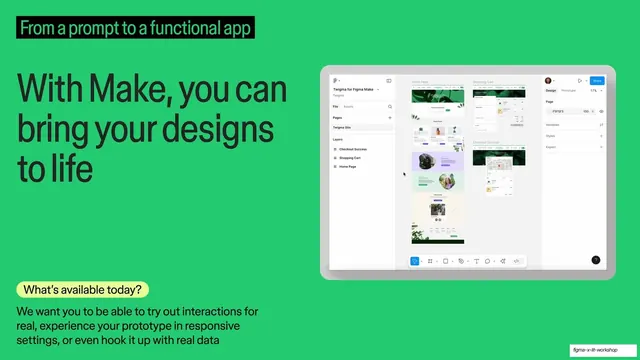
The same green Figma Make slide and tablet mockup, with the bottom pill swapped to Whats next and roadmap copy about expanded design system support.
Summary
The Figma Make slide repeated, now in its roadmap state: identical headline and tablet mockup, but the bottom pill reads "What's next?" with copy on expanded design-system support.
Visual description
Same saturated green field, same black highlight bar "From a prompt to a functional app", and the same oversized "With Make, you can bring your designs to life" headline as the previous slide. The right-side tablet mockup of the Twigma Figma file is unchanged. The only difference is the lower-left pill, now "What's next?" in the soft-yellow rounded tag, with body copy: "Expanded Design System support. Generate a Make with components from your design system."
Key takeaway
Reusing one fully built slide and only swapping the question pill and its paragraph to flip from "today" to "roadmap". It keeps the visual anchor fixed so the audience focuses on the changed text, an efficient present-then-preview pattern.
Reuse notes
Use as the second half of a paired now/next sequence. The trick only works if the rest of the slide is byte-for-byte the same as its partner; any layout drift breaks the effect. Good for product talks that show current state then near-term plans.
From this deck: With Make you can bring your designs to life, Whats next variant
View deck
More like this
Keep what you find
A free account saves references to boards and can send you a weekly email of picks based on what you save.
To see every result, go Pro.