Preview image. Unlock full-res
Text-left content slide with a single body column and two stacked dark gaming-website screenshots filling the right half.
Summary
A reading-heavy slide with one tall body column on the left and two stacked screenshots of dark, cinematic gaming websites on the right.
Visual description
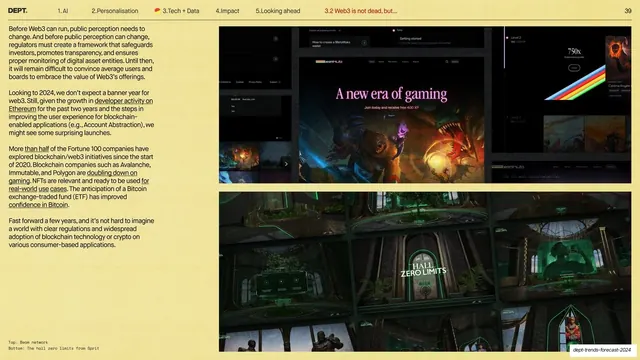
Pale-yellow field, no large headline. The left third is a single column of small sans-serif body copy with several underlined inline links. The right two-thirds holds two stacked browser screenshots: the top one a dark gaming landing page with "A new era of gaming" in script type over fiery game art and assorted UI panels; the bottom one a dark, green-lit "HALL ZERO LIMITS" 3D game environment grid. Small monospace captions ("Top: Beam network", "Bottom: The hall zero limits from Sprit") sit at the lower left. The standard hairline header and page "39" run across the top.
Key takeaway
Stacking two product/website screenshots vertically in one image column to show range without a gallery layout, balanced against a single dense text column. The dark screenshots pop hard against the warm paper background.
Reuse notes
Useful when you need to reference two live examples on one slide and let the copy do the explaining. The vertical stack keeps each screenshot wide enough to read. Works best when the screenshots share a tonal family (here, both dark and cinematic).
From this deck: Web3 regulation two-screenshot stack
View deck