Preview image. Unlock full-res
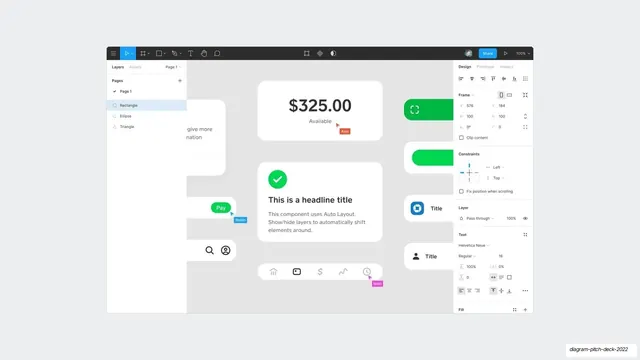
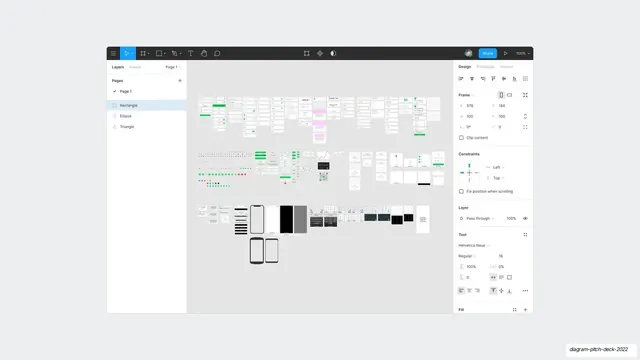
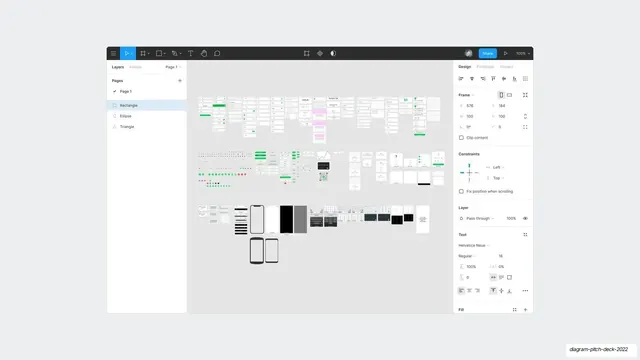
A full Figma editor screenshot with the same component cards on the canvas, layers and properties panels visible, and named multiplayer cursors.
Summary
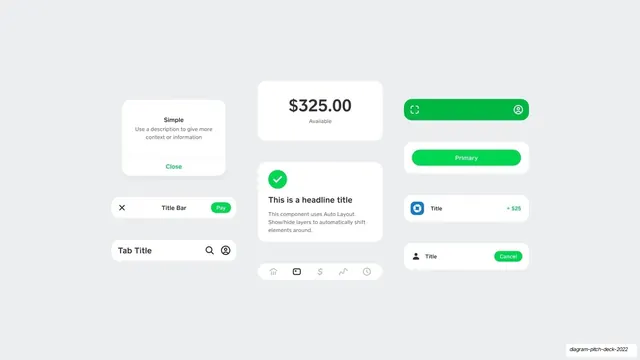
The same components from the prior slide shown inside the actual Figma editor, with layer and property panels and several named live cursors, signaling real collaborative design work.
Visual description
Flat off-white background carries a full Figma application screenshot. The dark top toolbar runs across with Share and zoom controls; the left rail shows Pages and a Layers list (Rectangle, Ellipse, Triangle); the right rail shows Design properties (Frame coordinates, Constraints, Helvetica Neue text settings, Fill). On the central canvas sit the balance card, success card, buttons, and nav bar from the previous slide, now overlaid with colored multiplayer cursors labeled with names like Alex, Robin, and Matt. Cash App green and iOS blue accents recur in the components.
Key takeaway
Following an idealized component sheet with the same artwork shown inside the real tool, complete with live collaboration cursors, to prove the work is genuine and made where designers actually work. The named cursors quietly imply a team and a process.
Reuse notes
A persuasive "behind the scenes" slide for design or developer-tool pitches, best placed right after a clean rendering of the same UI. The multiplayer cursors are the key detail; keep them if you want to signal collaboration. The dense editor chrome can read small, so use a high-resolution capture.
From this deck: Figma editor with live cursors
View deck





More like this

Keep what you find
A free account saves references to boards and can send you a weekly email of picks based on what you save.
To see every result, go Pro.