Preview image. Unlock full-res
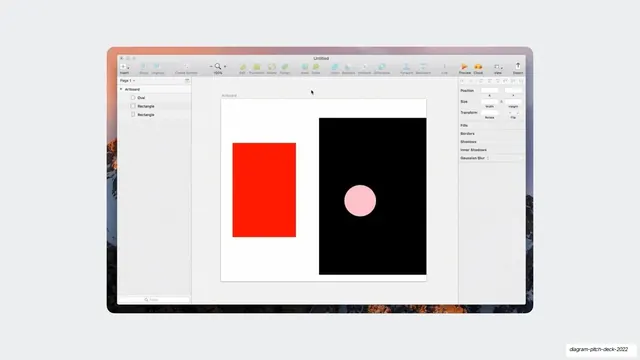
A macOS Sketch window screenshot showing an artboard with a red rectangle and a black square containing a pink circle.
Summary
A screenshot of the Sketch desktop app: an "Untitled" window with the familiar toolbar, a left layers list, a right inspector, and an artboard holding a red rectangle next to a black square with a pink circle.
Visual description
A macOS app window titled "Untitled" sits centered over a faint mountain-photo desktop. The top toolbar carries Insert, Group/Ungroup, Create Symbol, zoom, and editing icons; the left sidebar shows "Page 1" and an Artboard tree (Oval, two Rectangles); the right panel lists Position, Size, Transform, Fills, Borders, Shadows, and Gaussian Blur fields. On the white artboard are two shapes: a tall saturated red rectangle on the left and a black square on the right with a soft pink circle centered inside it. The dated UI chrome reads as a legacy design-tool reference.
Key takeaway
A raw screenshot of an older incumbent tool can stand in for "the previous way of working" or a quick visual demonstration, the unstyled native window reads as honest and concrete. Two primitive shapes on a blank artboard make the point with zero clutter.
Reuse notes
Use to reference a status-quo or competing tool, or to show a bare-bones design example, inside a product or design-tooling pitch. The full app chrome is what signals "this is a real editor". Note the visibly older UI dates the capture; intentional if contrasting old versus new.
From this deck: Sketch app artboard screenshot
View deck

















More like this

Keep what you find
A free account saves references to boards and can send you a weekly email of picks based on what you save.
To see every result, go Pro.