Preview image. Unlock full-res
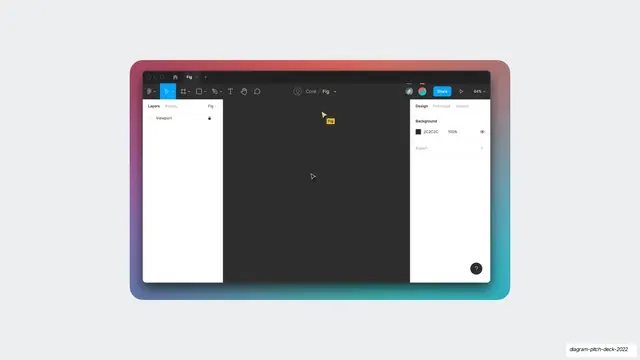
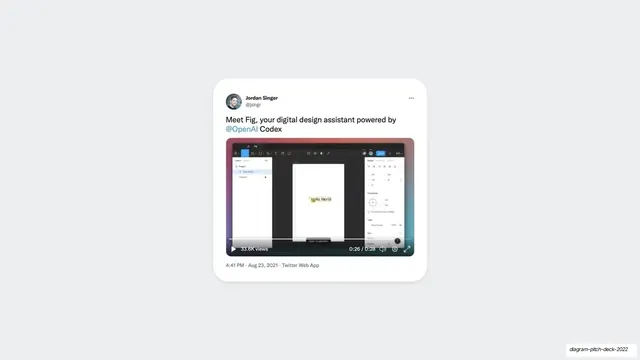
A centered product mockup of the "Fig" assistant inside a dark Figma editor on a colorful gradient frame, showing an empty viewport with a small Fig cursor label.
Summary
A screenshot of the Fig assistant set up inside Figma, framed by a vivid multicolor gradient, showing the editor ready with a small yellow "Fig" cursor tag in the empty canvas.
Visual description
Light gray slide background. Centered is a Figma editor screenshot wrapped in a saturated gradient frame that runs from red-pink at the top to teal at the bottom. The editor is in dark mode: top toolbar, a left Layers panel listing a locked "Viewport", and a right Design panel showing a "2C2C2C" background swatch at 100 percent. The wide dark canvas is empty except for a small yellow cursor labeled "Fig" near the center.
Key takeaway
The colorful gradient frame around an otherwise neutral dark UI: it adds energy and a branded glow without touching the product itself. The labeled cursor is a light way to personify an AI agent inside a familiar tool.
Reuse notes
A reusable way to present an in-tool AI agent: keep the real UI plain and let a framing gradient and a named cursor carry the personality. Good for "your assistant lives here" moments. The empty canvas reads as a setup shot, so pair it with an adjacent slide that shows the result.
From this deck: Fig empty canvas Figma mockup
View deck



























More like this






Keep what you find
A free account saves references to boards and can send you a weekly email of picks based on what you save.
To see every result, go Pro.