Preview image. Unlock full-res
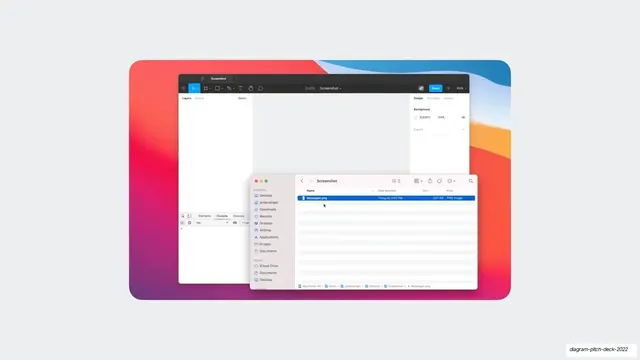
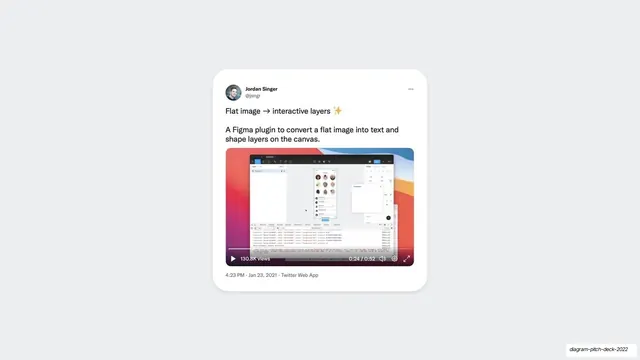
A centered desktop mockup of the image-to-layers plugin in action, with a macOS Finder window over a colorful Big Sur wallpaper showing a Messages.png file being imported.
Summary
A desktop screenshot showing the image-to-layers workflow: a macOS Finder window with a selected "Messages.png" file sits over a Figma editor on a colorful Big Sur gradient wallpaper.
Visual description
Light gray slide background. Centered is a screenshot bounded by a vibrant red-to-blue macOS Big Sur wallpaper. In the upper layer a dark Figma editor window titled "Screenshot" shows empty Layers and Design panels. Overlapping it in front is a light macOS Finder window with the standard sidebar (Desktop, jordansinger, Downloads, etc.) and one highlighted file row, "Messages.png", in list view. The composition implies dragging a PNG into the plugin.
Key takeaway
Staging the product moment as a believable desktop capture, complete with OS wallpaper and a real Finder window, so the step being demonstrated (importing a file) feels concrete and native rather than diagrammed.
Reuse notes
Useful when a feature is about getting external content into your tool and you want to show the actual handoff. The layered window composition reads as a real workflow. Detail can get small; reserve for moments where the OS context genuinely clarifies the step.
From this deck: Image to layers Mac desktop mockup
View deck


















More like this

Keep what you find
A free account saves references to boards and can send you a weekly email of picks based on what you save.
To see every result, go Pro.