Preview image. Unlock full-res
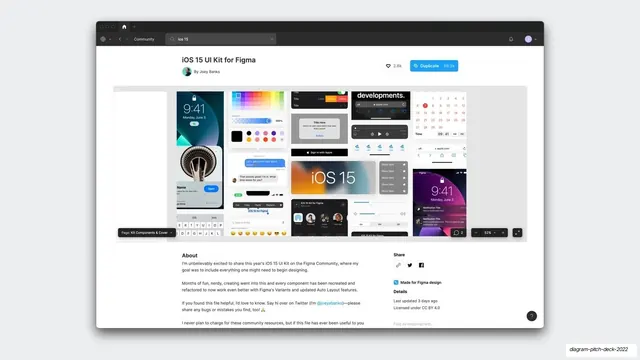
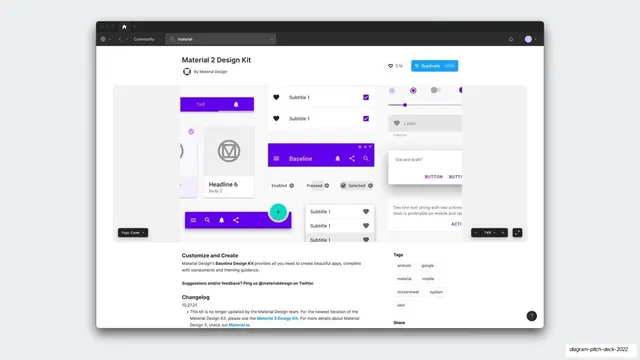
A screenshot of the Figma Community page for the iOS 15 UI Kit, showing its like and duplicate counts, author, and a thumbnail wall of components.
Summary
A browser screenshot of the Figma Community listing for the "iOS 15 UI Kit for Figma" by Joey Banks, showing 2.8k likes, 89.3k duplicates, and a dense preview wall of the kit's screens and components.
Visual description
A light Figma Community page sits on a pale gray slide with a soft drop shadow. The dark app frame shows a Community breadcrumb and an "ios 15" search field. The page title "iOS 15 UI Kit for Figma" sits above the author "By Joey Banks" with an avatar; to the right are a 2.8k like pill and a blue "Duplicate 89.3k" button. Below, a wide preview band tiles many small light artboards: an iOS lock screen, color and component sheets, calendars, message bubbles, an "iOS 15" wordmark tile, menu lists, and notification cards. An About section with body copy and Share links sits underneath.
Key takeaway
Pasting in a competitor or reference product's actual community page, with its visible like and duplicate counts, uses real third-party metrics as instant social proof and market context. The number on the Duplicate button does the persuading for you.
Reuse notes
A direct way to ground a market or differentiation slide in real, checkable evidence rather than claims. Best for design or developer-tool decks where the audience knows the platform. Keep the screenshot recent so the counts stay credible.
From this deck: iOS 15 UI Kit Figma community screenshot
View deck






More like this


Keep what you find
A free account saves references to boards and can send you a weekly email of picks based on what you save.
To see every result, go Pro.