Preview image. Unlock full-res
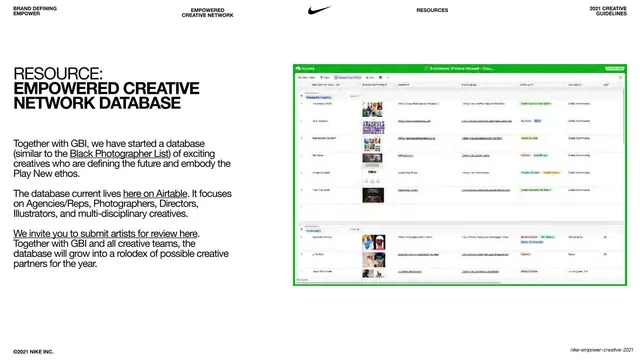
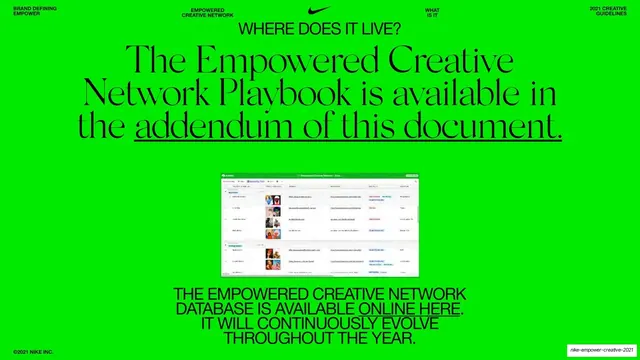
Split slide with a left text column describing the creators database and a right framed screenshot of an Airtable grid of profiles.
Summary
A resource slide: a left white text column titled "RESOURCE: EMPOWERED CREATIVE NETWORK DATABASE" beside a right-hand framed screenshot of an Airtable spreadsheet listing creator profiles.
Visual description
White ground with the thin all-caps header and centered swoosh. The left two-fifths holds the condensed all-caps headline "RESOURCE: EMPOWERED CREATIVE NETWORK DATABASE" over three short paragraphs of body copy with underlined inline hyperlinks ("Black Photographer List," "here on Airtable," "submit artists for review here"). The right three-fifths is a rectangular screenshot of an Airtable base, its green app chrome visible, showing rows of small profile thumbnails and columns of metadata. "©2021 NIKE INC." anchors the bottom-left.
Key takeaway
Showing the actual working tool as a framed screenshot, rather than a stylized mockup, signals that the resource is real and usable now. Underlined hyperlinks in the copy turn a static slide into a launchpad. The clean white column keeps the busy UI from overwhelming the page.
Reuse notes
A practical pattern for "resource," "tool," or "where this lives" slides that point to a real system. Reusable for any deck that hands off a spreadsheet, dashboard, or database. The screenshot will date quickly and its small text is illegible at slide scale, so keep the explanation in the copy column.
From this deck: Resource - Empowered Creative Network Database
View deck

































































































More like this

Keep what you find
A free account saves references to boards and can send you a weekly email of picks based on what you save.
To see every result, go Pro.