Preview image. Unlock full-res
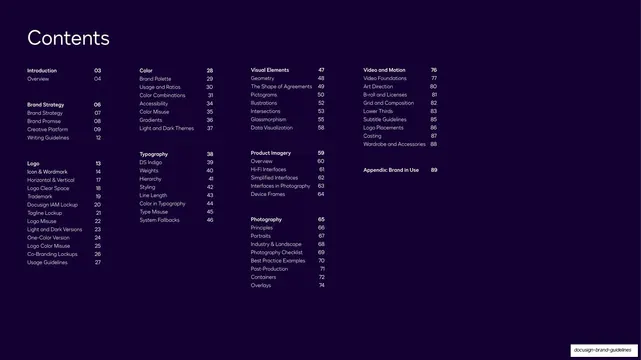
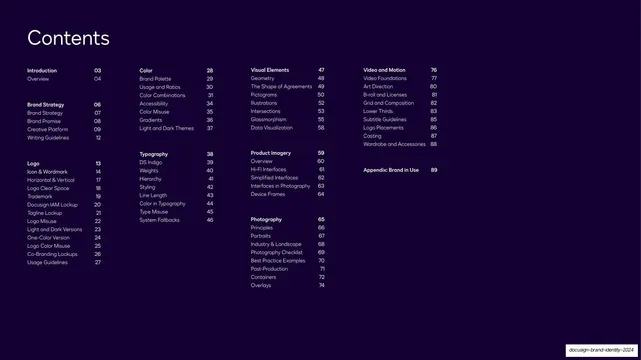
Four-column table of contents on near-black with chapter headings, sub-entries, and page numbers in small type.
Summary
The contents page: an oversized "Contents" heading over a four-column index of chapters and sub-entries with page numbers, all on a near-black field.
Visual description
Near-black (Inkwell) background. A large white "Contents" heading sits top-left. Below, four columns list the chapters: Introduction, Brand Strategy and Logo (column one); Color and Typography (column two); Visual Elements, Product Imagery and Photography (column three); Video and Motion and Appendix (column four). Each chapter title is bold white; its sub-entries are lighter grey, each with a right-aligned two-digit page number. The layout is calm, generously spaced, and entirely typographic.
Key takeaway
Splitting a long table of contents into four parallel columns so the whole 100-plus-page structure is visible at a glance. Bold chapter heads against muted sub-entries make the hierarchy scannable without rules or dividers.
Reuse notes
A clean contents template for any long guidelines or report deck. The four-column grid scales to a large outline; reduce to two or three columns for shorter decks. Page-number alignment must be tidy for it to read as a table.
From this deck: Contents table
View deck