Preview image. Unlock full-res
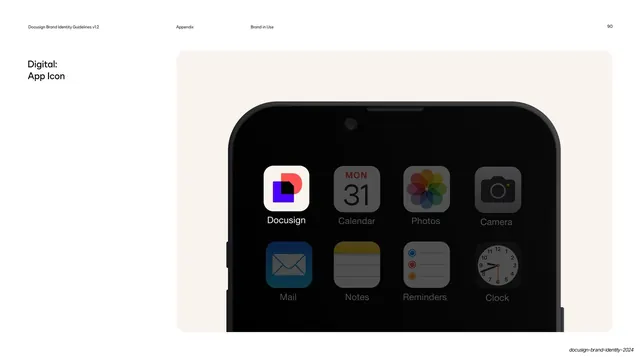
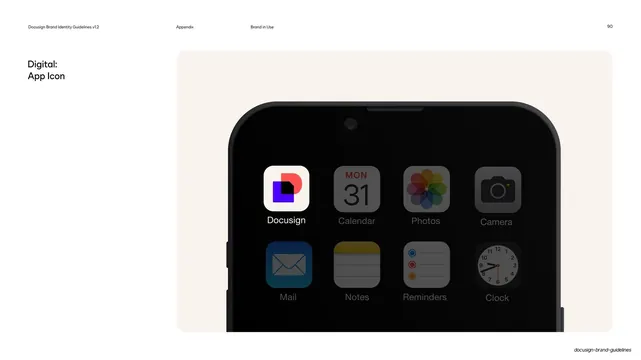
Brand-in-use page showing the Docusign app icon in context on a phone home screen against a cream panel, with a left label.
Summary
A brand-in-use page placing the Docusign app icon among real system apps on a phone home screen, framed inside a large cream rounded panel.
Visual description
White page with the running header and page number 90. The left column holds a two-line label, "Digital:" over "App Icon", in dark sans. The right two-thirds is a tall cream rounded panel containing a close crop of a black phone's top half against a dark wallpaper. The dock shows two rows of four app icons; the top-left slot is the Docusign icon, a white squircle holding the layered geometric mark in violet, black, and coral, labeled "Docusign". The surrounding icons (Calendar, Photos, Camera, Mail, Notes, Reminders, Clock) are dimmed system apps that contextualize it.
Key takeaway
Proving an app icon by dropping it into a real home-screen grid beside familiar system icons, so its legibility, contrast, and squircle fit are tested in situ rather than on a blank swatch. The cream panel isolates the device while keeping the page warm.
Reuse notes
The standard way to specify an app icon in a brand guide: show it small, in context, surrounded by competitors for scale. Reuse for any product with a mobile presence. Needs a clean device mockup and the real icon at final corner radius.
From this deck: App icon on mobile home screen mockup
View deck





























More like this






Keep what you find
A free account saves references to boards and can send you a weekly email of picks based on what you save.
To see every result, go Pro.