Preview image. Unlock full-res
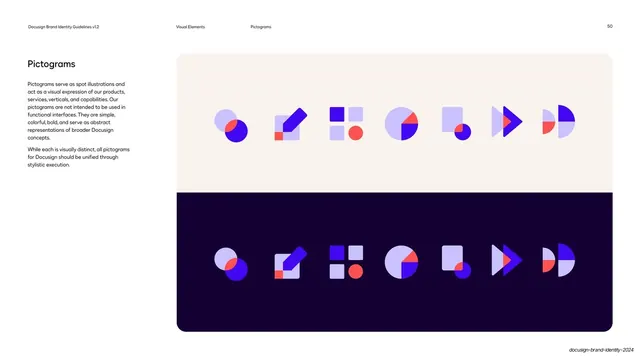
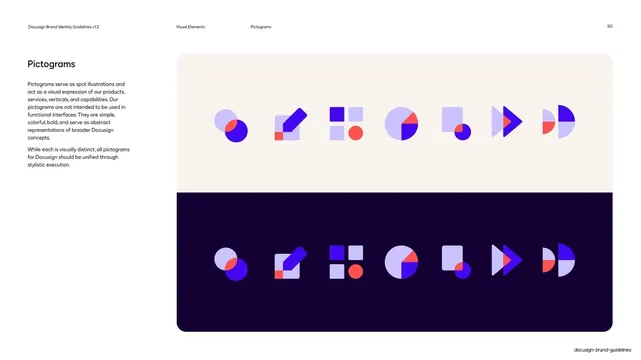
A pictogram page showing seven abstract geometric spot illustrations built from overlapping cobalt, lavender, and poppy shapes, displayed once on cream and once on deep violet.
Summary
The pictogram page: a row of seven abstract geometric spot illustrations built from overlapping brand-color shapes, shown once on a cream ground and again on a deep-violet ground.
Visual description
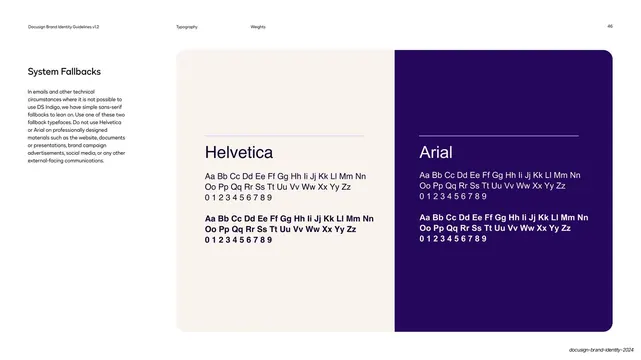
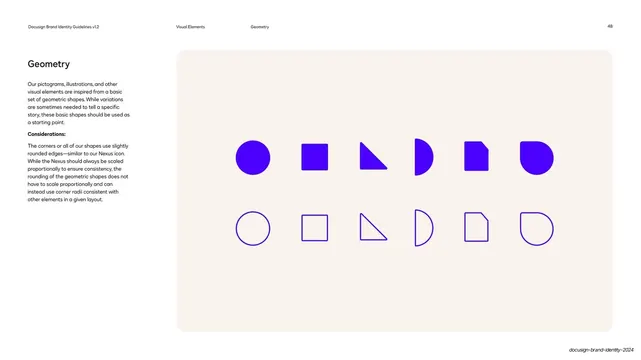
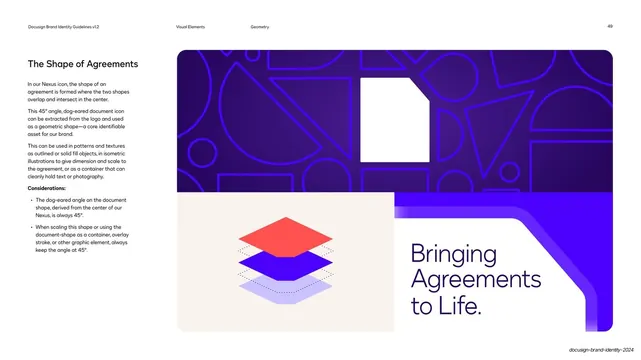
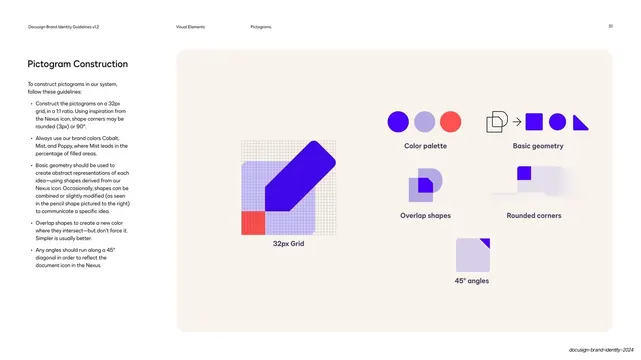
Standard guideline layout on white. The left column holds "Pictograms" and two paragraphs describing them as simple, colorful, bold abstract representations, not UI icons. The right is one rounded panel split horizontally: a cream upper half and a deep-violet lower half. Each half carries the same seven pictograms in a row, composed from overlapping circles, squares, half-circles, triangles, and a pencil/arrow, in cobalt, light lavender, and poppy, with translucent overlaps creating blended colors. Showing the identical set on both grounds demonstrates how they hold up light and dark. Running header: "Visual Elements / Pictograms / 50".
Key takeaway
Building a whole pictogram family from the same small shape kit and limited palette keeps a varied icon set visibly unified. Presenting the same row on light and dark in one panel proves the system works on any background without a second page.
Reuse notes
A clean reference for an abstract, geometry-driven pictogram or spot-illustration system. The light/dark side-by-side display is reusable for any icon set that must work on multiple grounds. Note the explicit caveat that these are decorative, not functional UI controls.
From this deck: Pictograms set on light and dark
View deck



































More like this





Keep what you find
A free account saves references to boards and can send you a weekly email of picks based on what you save.
To see every result, go Pro.