Preview image. Unlock full-res
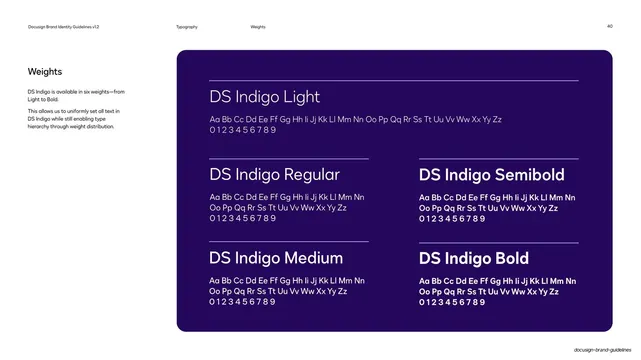
Dark deep-violet panel listing the DS Indigo weights from Light to Bold, each as a named heading over a full alphabet and numeral specimen.
Summary
The weight overview for DS Indigo: a dark panel presenting all six weights, each labeled by name and shown with a complete uppercase, lowercase, and numeral specimen.
Visual description
White background with the standard header ("Typography" / "Weights", page "40"). The left column carries the heading "Weights" and two short paragraphs explaining the six-weight range and how weight builds hierarchy. The right two-thirds is a large rounded deep-violet panel. Inside, DS Indigo Light leads at the top, set largest, with its alphabet and 0-9 numerals beneath a thin rule. Below, the remaining weights are arranged in two columns: Regular and Medium on the left, Semibold and Bold on the right, each as a named heading over a hairline rule and a two-line "Aa Bb Cc..." plus numeral specimen. All type is white on the violet field, and the visible step from light to bold reads top-to-bottom and left-to-right.
Key takeaway
Giving each weight a full alphabet-and-numeral specimen under its name, rather than a single sample word, so the actual character set is visible at every weight. Setting the lightest weight largest at the top quietly demonstrates that Light is the display weight.
Reuse notes
A standard, reusable layout for the weights page of a type-system or brand guideline. The named-heading-over-specimen unit tiles cleanly into a grid for any number of weights. The dark panel here matches Docusign's premium register; a light version works equally well.
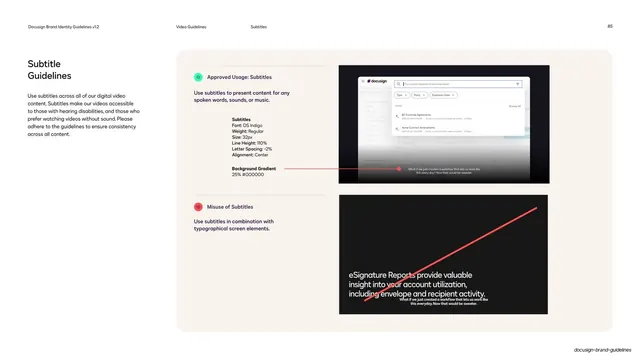
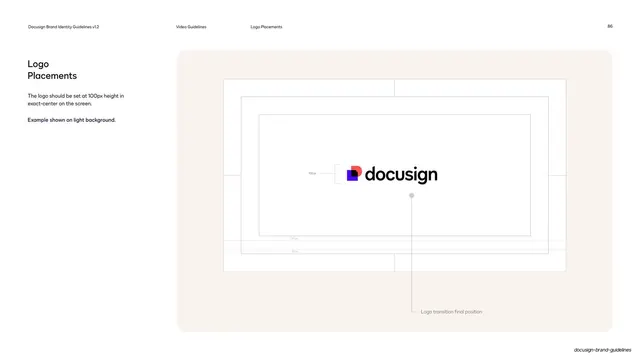
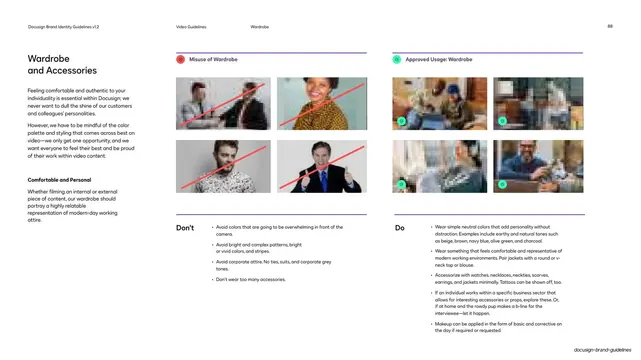
From this deck: DS Indigo weights specimen
View deck

















More like this




Keep what you find
A free account saves references to boards and can send you a weekly email of picks based on what you save.
To see every result, go Pro.