Preview image. Unlock full-res
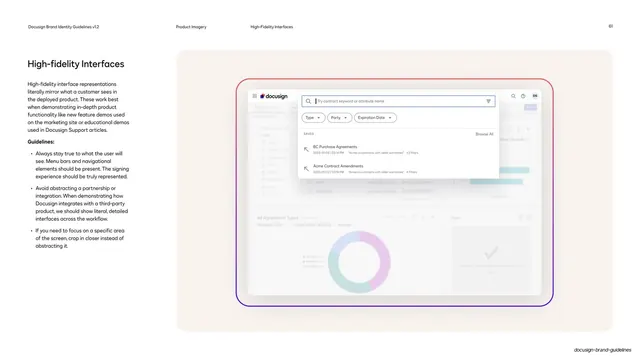
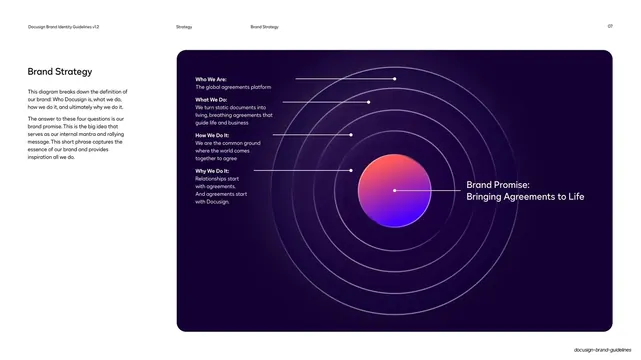
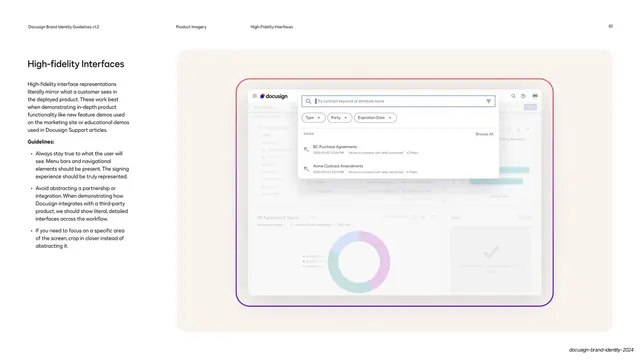
Guideline page on high-fidelity interfaces, showing a literal Docusign web app screenshot with a search overlay inside a stylized gradient device frame.
Summary
A guideline page defining high-fidelity product imagery: literal screenshots that mirror exactly what the customer sees in the deployed product.
Visual description
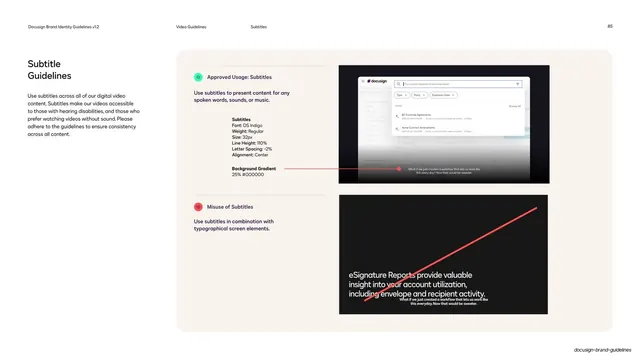
White page, running header (page 61, "Product Imagery / High-Fidelity Interfaces"). The left column carries the "High-fidelity Interfaces" heading, body copy, and a "Guidelines" bullet list. The right two-thirds sits on a soft cream rounded panel and shows a realistic Docusign web-app screenshot inside a thin gradient-stroke device frame: a left nav and agreement list, a contract-search modal overlay with Type / Party / Expiration Date filter dropdowns and saved-search rows, and a donut chart and tasks panel faded behind. The interface is detailed and true to the real product rather than abstracted.
Key takeaway
The rule that high-fidelity imagery must be genuinely literal (real menu bars, real navigation) so demos stay honest, framed by the same stylized gradient device frame used elsewhere. The cream backing panel lets a light product UI sit calmly on a light page.
Reuse notes
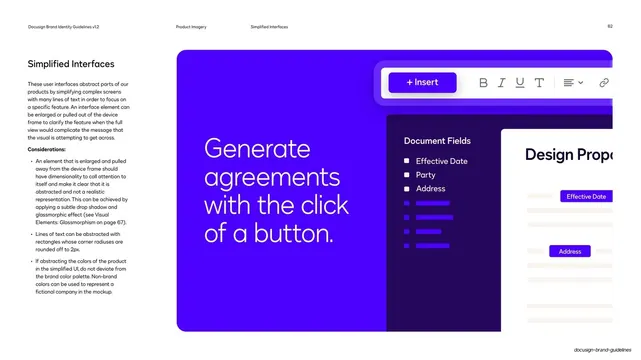
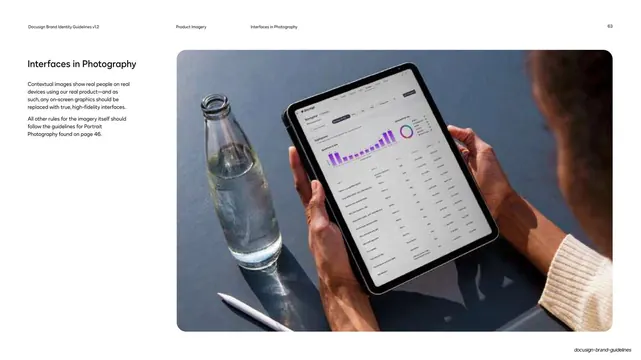
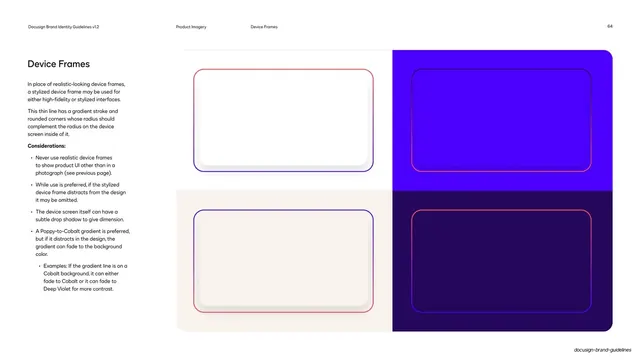
The reference for showing real product UI in educational or support contexts where accuracy matters. Pairs with the simplified-interface and device-frame pages. Literal screenshots date quickly, so version them with the product; crop in rather than abstract when focusing on one area.
From this deck: Docusign high-fidelity interfaces
View deck









More like this




Keep what you find
A free account saves references to boards and can send you a weekly email of picks based on what you save.
To see every result, go Pro.