Preview image. Unlock full-res
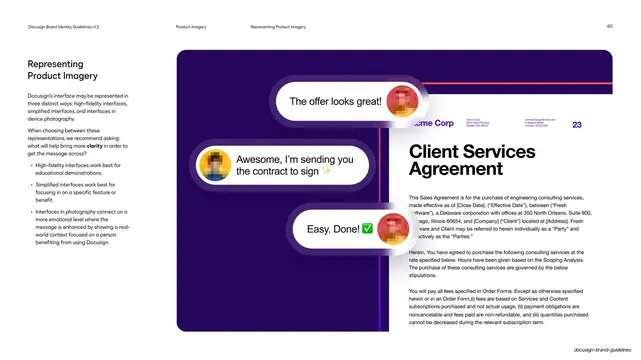
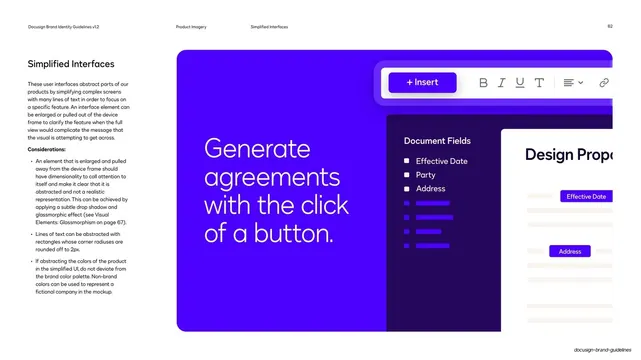
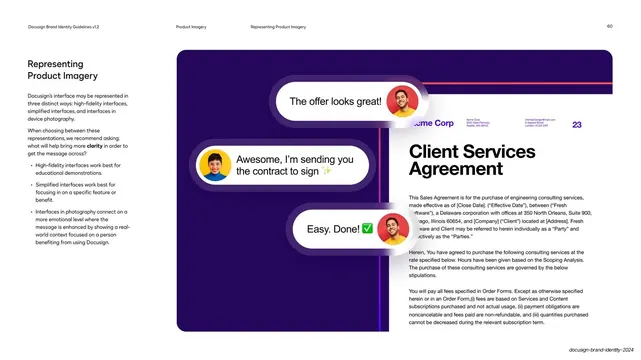
Guideline page on the three ways to represent product imagery, illustrated by a violet panel with floating chat-bubble UI over a contract document.
Summary
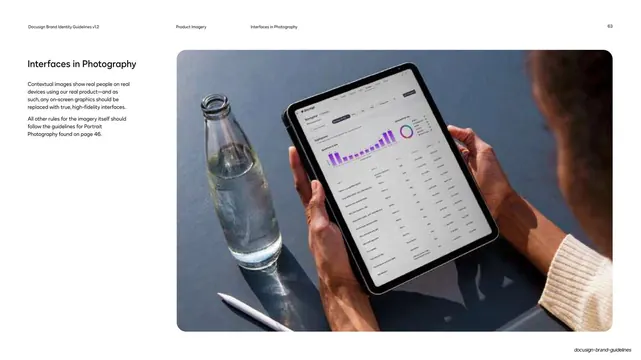
A guideline page introducing the three ways Docusign's interface may be shown: high-fidelity, simplified, and in device photography.
Visual description
White page, running header (page 60, "Product Imagery / Representing Product Imagery"). The left column carries the "Representing Product Imagery" heading, body copy, and a "Considerations" bullet list describing the three fidelity approaches. The right two-thirds is a deep-violet panel layering a stylized product scene: three white glassmorphic chat-bubble pills float at left ("The offer looks great!", "Awesome, I'm sending you the contract to sign", "Easy. Done!"), each with a small blurred avatar, overlapping a tilted white "Client Services Agreement" contract document at right with mock body copy and a poppy top rule. The composition mixes abstracted UI elements with a document mockup.
Key takeaway
Communicating a flow (send, review, sign) through a few floating chat-bubble pills layered over a document, rather than a literal screenshot. The glassmorphic pills and the single poppy rule tie the abstracted scene to the brand system.
Reuse notes
A good template for explaining a product flow at the top of a product section. Floating-UI compositions read as illustrative, not literal, so they suit marketing over documentation. Keep avatars blurred or generic to avoid implying real users.
From this deck: Docusign representing product imagery
View deck




















More like this







Keep what you find
A free account saves references to boards and can send you a weekly email of picks based on what you save.
To see every result, go Pro.