Preview image. Unlock full-res
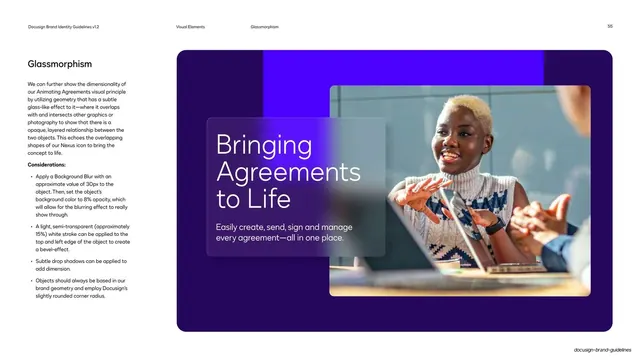
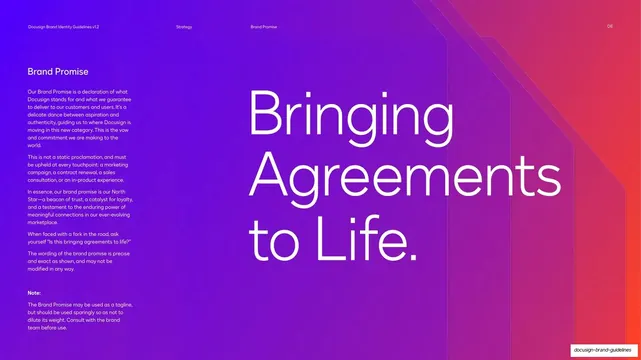
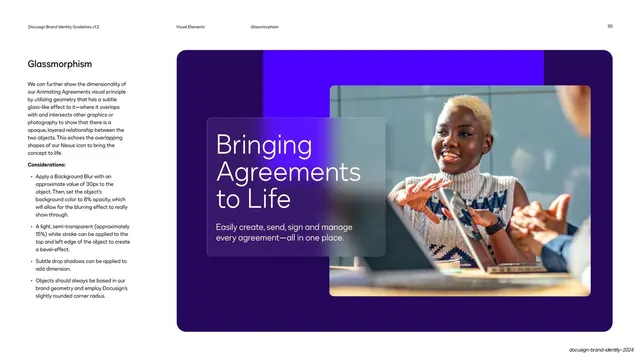
Guideline page on glassmorphism, showing a frosted translucent panel with a Bringing Agreements to Life headline floating over a workplace photo on deep violet.
Summary
A guideline page defining the glassmorphism style: a translucent, blurred glass panel layered over photography to show an opaque, layered relationship.
Visual description
White page, running header (page 55, "Visual Elements / Glassmorphism"). The left column gives the "Glassmorphism" heading, body copy explaining the Animating Agreements principle, and a "Considerations" bullet list with specific specs (30px background blur, 8% fill opacity, 15% white edge stroke, subtle drop shadows). The right two-thirds is a deep-violet panel with an electric-violet block bleeding behind a rounded-corner photo of a smiling person at a laptop. A frosted glass card overlaps the photo, carrying a large light-weight "Bringing Agreements to Life" headline and a one-line subhead, with the blurred image showing through the translucent panel.
Key takeaway
Specifying the glass effect numerically (blur value, fill opacity, edge-stroke opacity) so it is reproducible, then demonstrating it on real photography. The frosted card over a portrait is a clean way to hold a headline on a busy image.
Reuse notes
A reusable pattern for hero moments and key art on premium SaaS brands. Glassmorphic panels only read well over rich, layered backgrounds; on flat fills the effect disappears. Keep the blur and opacity restrained or the text behind muddies.
From this deck: Docusign glassmorphism over photography
View deck

More like this

Keep what you find
A free account saves references to boards and can send you a weekly email of picks based on what you save.
To see every result, go Pro.