Preview image. Unlock full-res
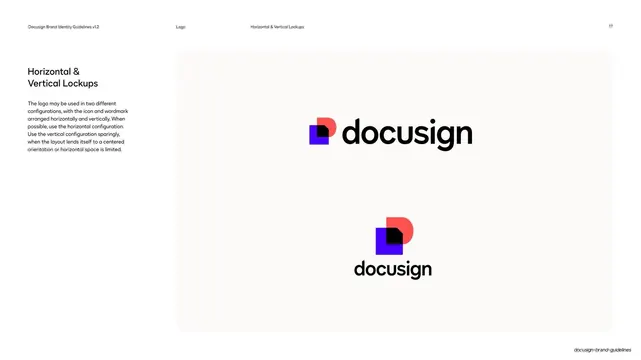
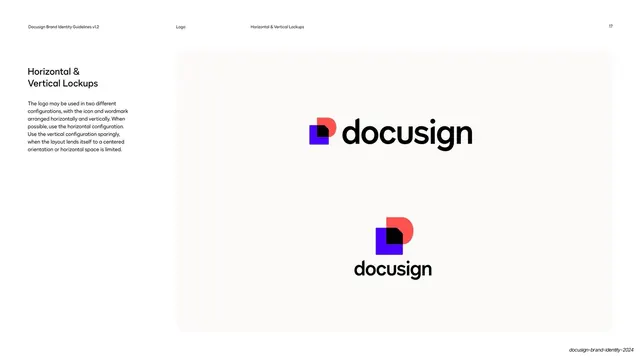
Logo lockup page showing the horizontal and vertical Docusign configurations stacked in a single rounded off-white panel.
Summary
A logo lockup page presenting the two approved Docusign configurations, horizontal and vertical, centered in one tall rounded off-white panel.
Visual description
The familiar two-column layout: a left text column headed "Horizontal & Vertical Lockups" with a short paragraph recommending the horizontal version by default and the vertical one sparingly. The right side is a single tall rounded off-white (Ecru) panel. Centered in its upper half sits the horizontal lockup: the Nexus icon (cobalt square, poppy half-disc, black document corner) beside the black lowercase "docusign" wordmark. Centered lower is the vertical lockup: the same Nexus icon stacked above the wordmark. Generous whitespace surrounds both marks.
Key takeaway
Showing both lockup orientations together inside one calm panel, sized so the eye reads horizontal-then-vertical as a clear hierarchy of preference rather than two equal options.
Reuse notes
The baseline page every logo guideline needs. Reusable as-is for any identity with more than one approved configuration. Keep the panel quiet so the marks carry it; this is the reference the clear-space and misuse pages build on.
From this deck: Docusign horizontal and vertical lockups
View deck






More like this

Keep what you find
A free account saves references to boards and can send you a weekly email of picks based on what you save.
To see every result, go Pro.