Preview image. Unlock full-res
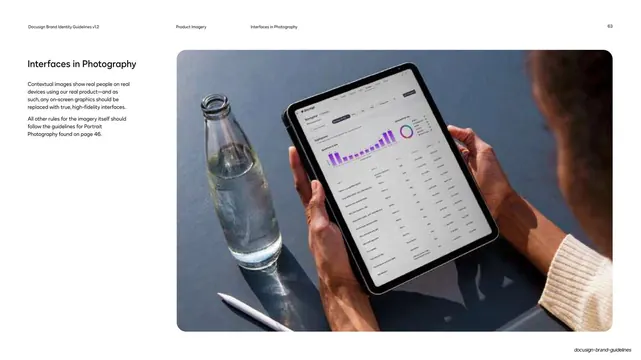
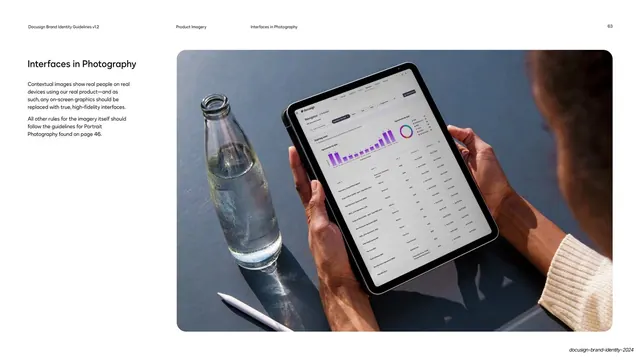
Guideline page on interfaces in photography, with a top-down photo of hands holding a tablet running the real Docusign product on a desk.
Summary
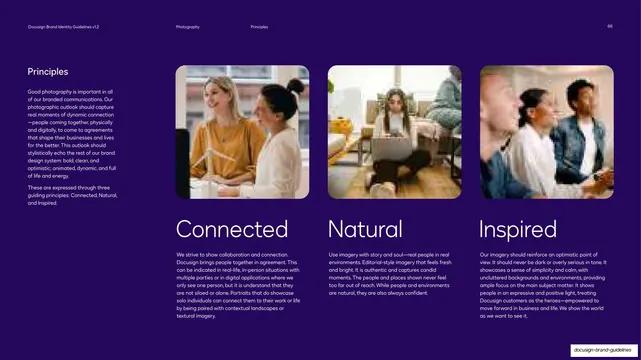
A guideline page covering interfaces shown in photography: contextual images of real people using the real product, with screens replaced by true high-fidelity UI.
Visual description
White page, running header (page 63, "Product Imagery / Interfaces in Photography"). The left column carries only the "Interfaces in Photography" heading and two short paragraphs (no bullet list), cross-referencing the Portrait Photography rules. The right two-thirds is a single rounded photo: a top-down shot of two hands holding a tablet over a slate-blue desk, the tablet screen running the real Docusign product with a purple bar chart, donut chart, and data table. A clear glass water bottle and a white stylus sit on the desk in soft natural light.
Key takeaway
The rule that any device shown in lifestyle photography must display the genuine, current product UI (composited in at high fidelity), so real-world context never undercuts product accuracy. The calm top-down desk scene with one or two props is a clean contextual format.
Reuse notes
The reference for in-context, human product photography. Defers all imagery rules (light, styling, crop) to the portrait-photography page, so use it alongside those. Requires compositing real UI onto the device; placeholder or outdated screens break the guideline.
From this deck: Docusign interfaces in photography
View deck






























More like this




Keep what you find
A free account saves references to boards and can send you a weekly email of picks based on what you save.
To see every result, go Pro.