Preview image. Unlock full-res
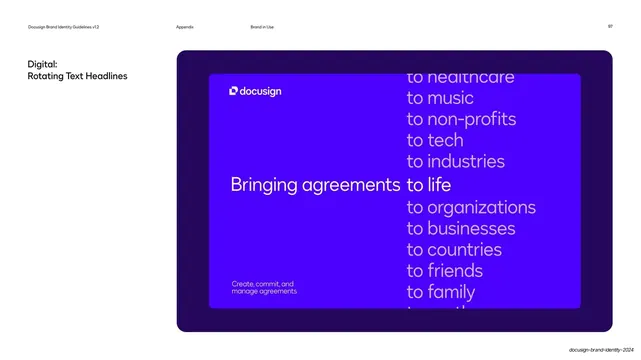
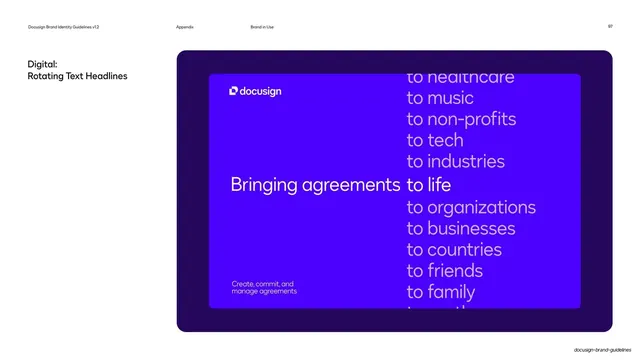
A \"Digital: Rotating Text Headlines\" page showing a blue frame where the fixed phrase \"Bringing agreements to life\" is joined by a vertical scrolling column of \"to...\" endings.
Summary
A brand-in-use page illustrating a rotating-headline concept: on an electric-blue frame, "Bringing agreements" stays fixed while the ending word cycles through a vertical list ("to life", "to music", "to tech", "to family" and more) stacked like a slot reel.
Visual description
White page with the standard running header and page number. The upper-left label reads "Digital: / Rotating Text Headlines". The right two thirds are a deep-violet rounded panel holding an electric-blue inner frame. The white docusign mark sits top left and a small "Create, commit, and / manage agreements" note sits bottom left. Centered left, in white display type, is "Bringing agreements"; immediately to its right a vertical column of alternative endings is set in semi-transparent lilac, brightening to white on the centered "to life" line and fading above and below ("to healthcare", "to music", "to non-profits", "to tech", "to industries" above; "to organizations", "to businesses", "to countries", "to friends", "to family" below), so the column reads as a list mid-scroll.
Key takeaway
Holding a fixed lead phrase and swapping only the last word against a faded vertical reel is a simple, legible way to document a kinetic headline in a still. The brightened center line plus dimmed neighbors makes the rotation obvious without any animation.
Reuse notes
A strong reference for showing animated or rotating type in a static guideline page, or for a tagline system built on one constant and one variable phrase. The faded-column convention only reads if the active line is clearly the brightest. Pairs with the OOH headline applications later in the appendix.
From this deck: Docusign rotating text headlines frame
View deck