Preview image. Unlock full-res
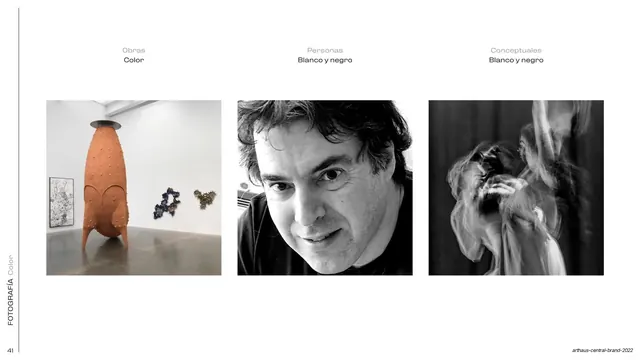
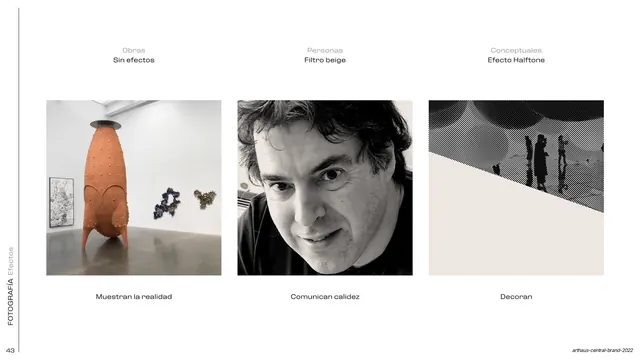
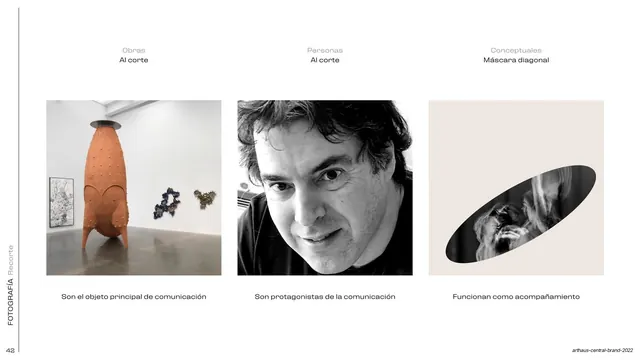
Photography rule on post effects, no effect for artworks, a warm beige filter for people, and a diagonal halftone treatment for conceptual images.
Summary
The third photography rule, covering post-processing: artworks get no effect, portraits get a warm beige filter, and conceptual images get a diagonal halftone treatment, each labeled with its intent.
Visual description
Identical warm off-white (#F0ECE6) three-up layout with the left-edge "FOTOGRAFIA Efectos" label. Headers in grey and black: "Obras / Sin efectos" over the untouched color sculpture shot; "Personas / Filtro beige" over the male portrait warmed by a beige tint; "Conceptuales / Efecto Halftone" over a conceptual gallery image where a diagonal split turns the upper half into a coarse black-and-white halftone dot pattern over a beige lower triangle. Role captions sit below each in black: "Muestran la realidad", "Comunican calidez", "Decoran".
Key takeaway
Completing the photography system with a per-category effect rule that mirrors the earlier color and crop pages, so all three image rules share one three-up grammar. The diagonal-halftone-over-flat-color split is a memorable decorative treatment tied to a specific image role.
Reuse notes
Use as the third panel of a photography guideline trilogy (color, crop, effect). The halftone-plus-diagonal device is brand-specific and best reserved for accent or conceptual imagery. Keeping the filters subtle (a warm tint, not a heavy grade) keeps portraits believable.
From this deck: Photo effects, beige filter and halftone
View deck