Preview image. Unlock full-res
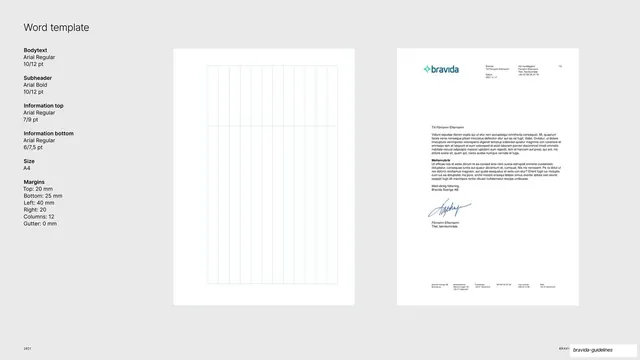
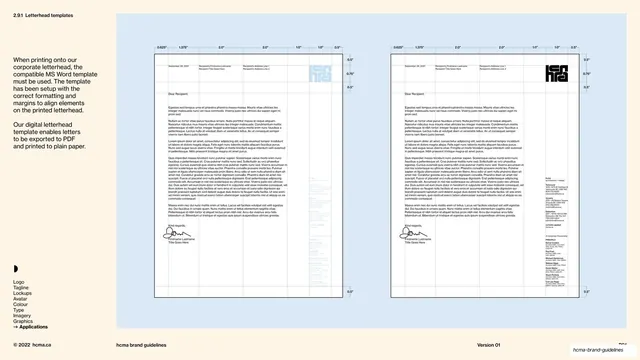
Word letter template shown as a blank 12-column grid beside a filled A4 letter, with a left-column spec for type, size, and margins.
Summary
A Word letter template page showing the underlying 12-column grid next to a fully laid-out A4 letter, with a left column specifying the Arial type system and margins.
Visual description
Light-gray background. "Word template" headline top-left, with a left spec column listing Bodytext (Arial Regular 10/12 pt), Subheader (Arial Bold), Information top and bottom sizes, Size (A4), and Margins (top 20, bottom 25, left 40, right 20, 12 columns, 0 gutter). The center shows a blank white A4 with faint blue column guides. The right shows a filled letter mockup: the green-and-blue "bravida" logo top-left, a sender/recipient info block top-right, a date, lorem-ipsum body paragraphs with a bold "Mellanrubrik" subhead, a blue signature, and a small footer row of company details.
Key takeaway
Showing the grid empty and applied side by side, plus a realistic filled letter, so users see the structure and a finished example at once. Specifying Arial here (the office fallback for Inter) keeps everyday documents on-brand.
Reuse notes
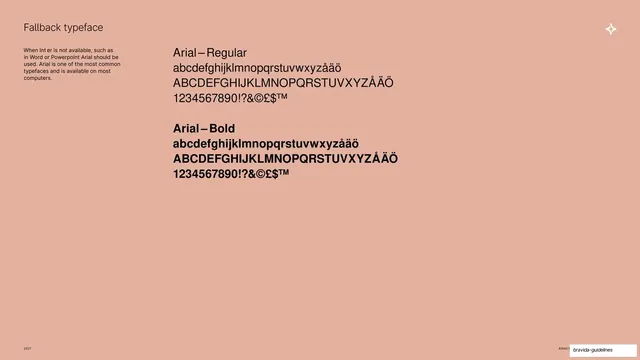
A practical template for the office-documents part of an identity system. Reuse the empty-grid-plus-applied-example pairing for any document format. Note it deliberately uses the system font (Arial) rather than the brand typeface, fitting Word's constraints.
From this deck: Word letter template and grid
View deck



















More like this




Keep what you find
A free account saves references to boards and can send you a weekly email of picks based on what you save.
To see every result, go Pro.