Preview image. Unlock full-res
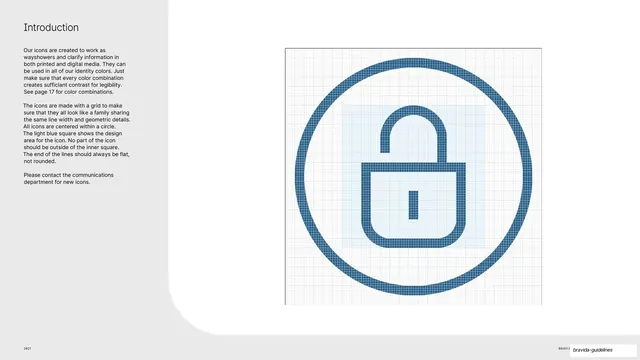
Light-grey slide explaining icon construction, with a single blue line padlock icon shown enlarged on its build grid inside a circle.
Summary
The icon-system introduction: a single padlock icon shown large on its construction grid, demonstrating the circle frame, design area, line width, and flat line ends.
Visual description
Light-grey slide; a large white rounded panel sweeps in from the right. Top-left an "Introduction" heading and two paragraphs explaining icons act as wayshowers, are grid-based, share one line width, are centred within a circle, must stay inside the light-blue inner square, and must have flat (not rounded) line ends. The right two-thirds shows one enlarged padlock icon drawn in blue line work inside a thin circle, sitting on a fine measurement grid with a pale-blue square marking the design area. A hairline footer runs along the bottom.
Key takeaway
Teaching the entire icon system with one fully-built example on its grid: the circle container, the safe inner square, the constant stroke, and the flat terminals are all visible at once. One icon explains every rule.
Reuse notes
The canonical icon-construction page for any icon-system documentation. The grid-plus-design-area diagram is directly reusable; swap the padlock for your own representative glyph. State the line-end and line-width rules in copy as here so contributors can extend the set consistently.
From this deck: Icon construction grid (padlock)
View deck






































More like this



Keep what you find
A free account saves references to boards and can send you a weekly email of picks based on what you save.
To see every result, go Pro.