Preview image. Unlock full-res
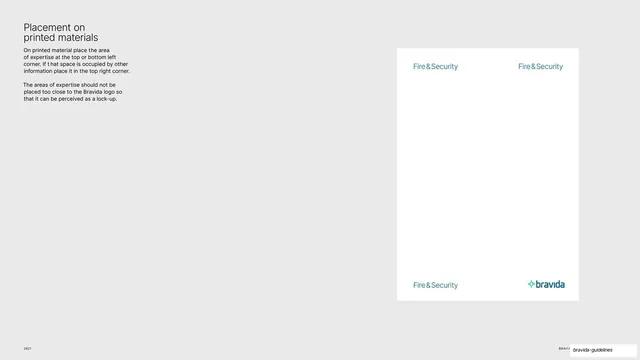
Light-grey page with a single white poster mock showing the four approved corner placements for the area-of-expertise lockup on printed material.
Summary
A placement page: one tall white poster mockup on a grey ground shows where the area-of-expertise lockup may sit, with "Fire & Security" repeated in the top-left, top-right and bottom-left corners and the Bravida logo bottom-right.
Visual description
Light-grey (#EAEAEA) background. The right two-thirds holds a single portrait white poster mock. On it, "Fire & Security" in Bravida Blue appears in three corners (top-left, top-right, bottom-left), and the green-and-blue Bravida logo sits in the bottom-right, demonstrating the allowed positions. Top-left of the page a black "Placement on / printed materials" heading with two short rules: place the expertise at top or bottom left, or top right if that space is occupied; never place it so close to the logo that it reads as a lock-up. "2021" sits bottom-left.
Key takeaway
Using one empty poster mock with the same element ghosted into every permitted corner, so the placement rule is read spatially in a single frame instead of as a list of coordinates.
Reuse notes
A clean way to specify corner placement for any recurring element. The empty mock keeps focus on position; reuse when you need to show "here, here, or here" without four separate diagrams.
From this deck: Expertise lockup placement on print
View deck

More like this
Keep what you find
A free account saves references to boards and can send you a weekly email of picks based on what you save.
To see every result, go Pro.