Preview image. Unlock full-res
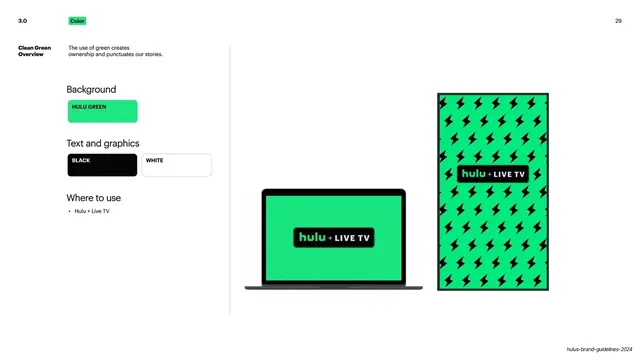
Split spec slide for the Clean Green world, left rules column beside a green laptop screen and a lightning-bolt pattern mockup.
Summary
The Clean Green rules page: a left column of background and text swatches plus a where-to-use note, beside a green laptop screen and a green lightning-bolt pattern panel.
Visual description
White ground split by a thin vertical rule. Top-left: "3.0" number and green "Color" pill; "29" top-right. Left column under "Clean Green Overview" lists "Background" with a single Hulu Green pill; "Text and graphics" with Black and White pills; and "Where to use" with one bullet, Hulu + Live TV. The right two-thirds shows a MacBook with a flat Hulu-green screen carrying the black "hulu + LIVE TV" lockup, and a tall vertical panel of Hulu green tiled with black lightning-bolt icons, the same lockup centered. This world is defined by the flat green field, black/white type, and the bolt motif.
Key takeaway
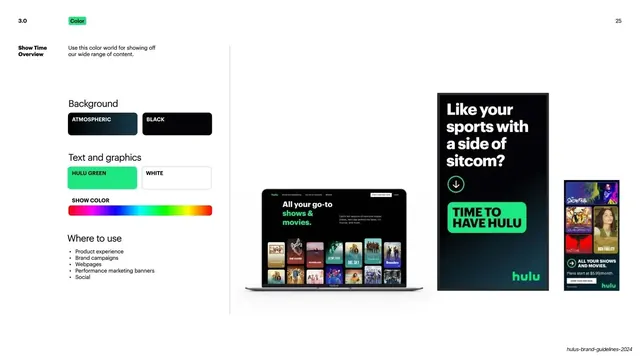
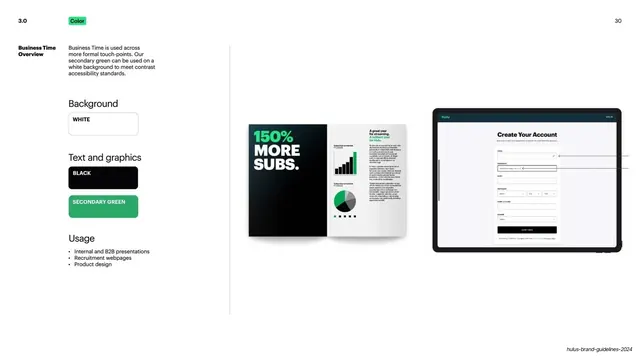
The same per-world rules template as Show Time, recolored: one background swatch, two text colors, a narrow usage scope. Reusing the identical left-column structure across every color world makes the system instantly legible.
Reuse notes
Reuse for a single-purpose brand mode (here, Hulu + Live TV). The matching layout to the other world slides is the point: keep structure fixed, vary only swatches and examples. The lightning-bolt pattern is a nice ownable texture for a flat-color world.
From this deck: Hulu Clean Green color world overview
View deck

















More like this

Keep what you find
A free account saves references to boards and can send you a weekly email of picks based on what you save.
To see every result, go Pro.